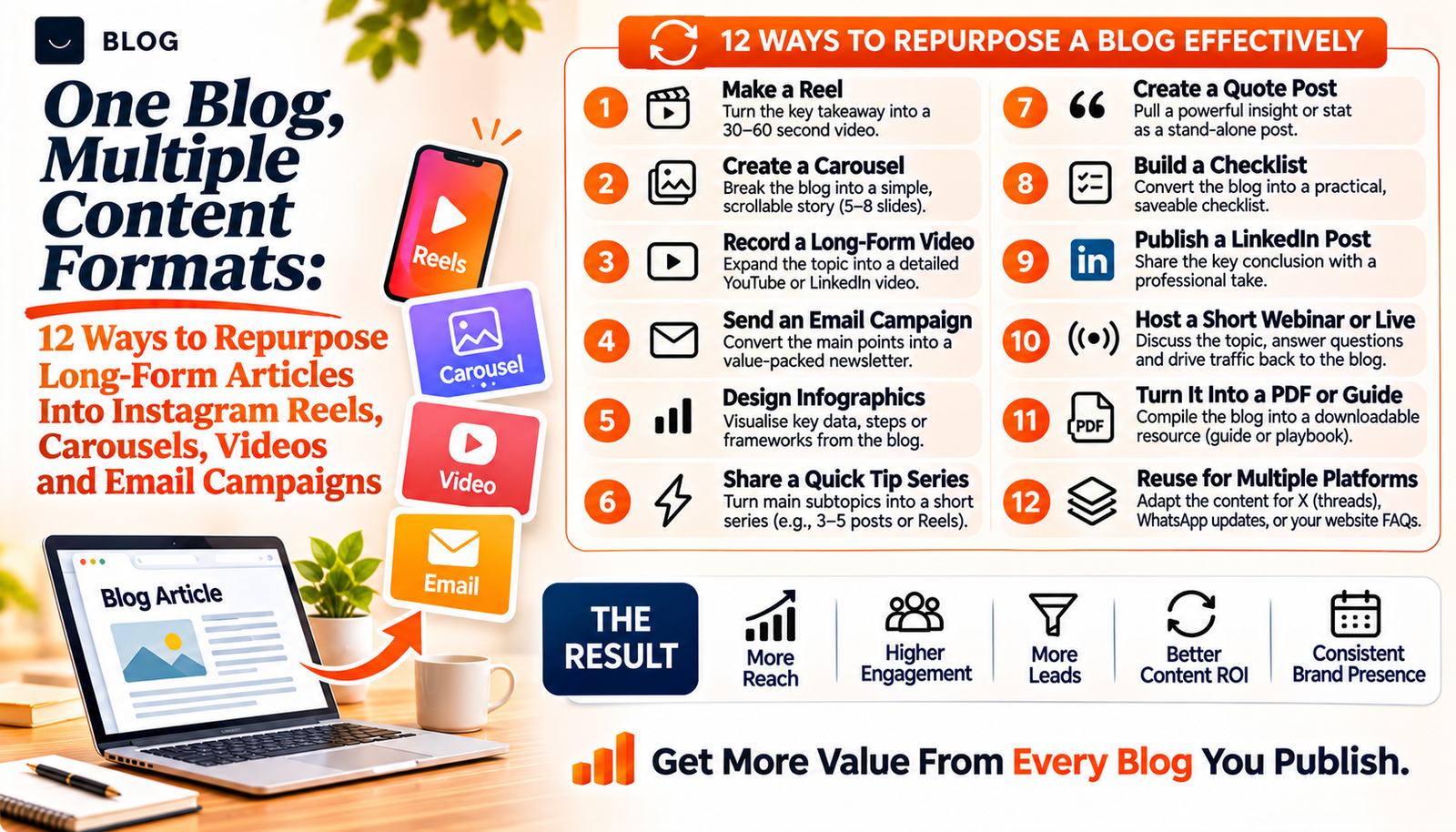
One Blog, Multiple Content Formats: 12 Ways to Repurpose Long-Form Articles Into Instagram Reels, Carousels, Videos and Email Campaigns
A well-researched article can take a day or more to produce. It is then published, shared once and left to sit in the archive. Meanwhile the same team is asked to come up with fresh ideas for Instagram, video and email every week.
Repurposing closes that gap, but only when it is done properly. Pasting the first paragraph of a blog into a caption does not work, because each channel has its own audience, length and way of reading. A reader who enjoys a 2,000-word guide may still never see it. A viewer scrolling Reels needs one clear idea in the first seconds. An email subscriber needs a reason to open and a single step to take.
This guide shows 12 ways to turn one long-form article into other formats, with a short method for each. It also covers a workflow for doing it consistently and the mistakes that make repurposed content feel repetitive or inaccurate.
What repurposing can and cannot do
It can extend the life of research you have already done, keep your message consistent across channels and reach people who prefer short video, images or email to long reading. It also reduces the effort of producing something new each week.
It cannot rescue a weak article, and it does not mean copying the same words everywhere. Each version should be rewritten for the format and the audience. Instagram's recommendation rules favour original content, and its April 2026 update defines unoriginal as material you did not create or edit in a meaningful way. Adapting your own article is original work, provided you shape it for the format rather than paste it in. Keep facts, dates and sources identical to the article, and update every version if the article changes.
Before you start: prepare the source article
Repurposing works best when the article is organised well. Before you adapt it, list its core idea in one sentence, its three to five main points, any numbers with their sources and dates, and the questions it answers. This sheet becomes the reference for every format below and keeps your facts consistent.
Part 1: Instagram formats
1. A carousel of key takeaways
Best for: Saves and shares, especially for checklists and step-by-step guides.
How to do it: Write a hook on slide one that states the benefit. Use one point per slide with a short heading and one or two lines, and end with a clear next step. Put your main keyword in the caption and in the on-screen text, since Instagram's own guidance favours keywords over hashtag stacking.
Watch out for: Cramming in the whole article. A carousel should carry one idea well.
2. A reel that explains one idea
Best for: Reaching people who do not know you yet.
How to do it: Choose the single most surprising or useful point. Open with it in the first seconds, give one example and finish with a prompt to read the full article. Add captions on screen.
Watch out for: Reading the article aloud. Speak the way you would explain it to a customer.
3. A myth-versus-fact or checklist post
Best for: Articles that contain lists or common misunderstandings.
How to do it: Pull out three to five items and turn each into a short statement and correction, or a checkable list. These formats are easy to screenshot and send to a colleague.
Watch out for: Dropping the source. Keep the same data and date as the article.
4. Stories with polls and quizzes
Best for: Engagement and testing which topics matter.
How to do it: Turn a section of the article into a question, such as "Which of these do you check first?", and use a poll or quiz sticker. Link to the article in the final frame.
Watch out for: Asking questions you cannot use. Use the answers to shape your next article.
Part 2: Video formats
5. A long-form explainer video
Best for: Complex topics that benefit from showing and telling.
How to do it: Walk through the article's headings on screen with simple slides or a screen recording. Add chapters, a clear title and a link to the article in the description.
Watch out for: Reading the text. Add examples that the article does not contain.
6. A talking-head answer from an expert
Best for: Building trust through a real face.
How to do it: Choose one question from the article's FAQ, and have the founder or specialist answer it in one take, from notes rather than a script.
Watch out for: Overediting. Natural delivery builds more trust than perfect polish.
7. Short clips from your FAQ
Best for: A steady stream of short videos from one article.
How to do it: Record five FAQ answers in one session and cut each into a separate clip. Use them across Instagram, YouTube Shorts and your website.
Watch out for: Reusing identical clips everywhere without checking each platform's format. Adjust captions and framing.
Part 3: Email formats
8. A newsletter issue
Best for: Keeping existing subscribers and customers engaged.
How to do it: Write a short summary of the article's key finding, add one practical tip they can use today and link to the full piece. Make the subject line specific.
Watch out for: Sending to people who did not opt in. Gmail and Yahoo set requirements for bulk senders from February 2024, including authentication, one-click unsubscribe and a low spam complaint rate, so check your setup and local consent laws.
9. A short email series
Best for: Guiding prospects through a topic over time.
How to do it: Split the article into three to five emails, one per main point, spaced a few days apart. End each with a single action, such as replying with a question.
Watch out for: Repeating the same call to action every time. Vary it to match the stage.
10. A downloadable checklist or guide
Best for: Capturing enquiries from interested readers.
How to do it: Turn the article's steps into a one-page checklist. Offer it on the article and in Instagram posts, and ask only for the details you need.
Watch out for: Collecting personal data without a clear explanation of how you will use it.
Part 4: Support and refresh
11. A one-page summary for your sales or support team
Best for: Making sure customer-facing staff give the same answers as your content.
How to do it: Summarise the article's main points and the most common questions in one page. Update it whenever the article changes.
Watch out for: Leaving it unmaintained. Outdated summaries create inconsistent answers.
12. A refresh of the original article
Best for: Keeping the source strong and accurate.
How to do it: Use the comments, questions and replies from your repurposed content to add missing answers to the article. Update statistics and dates, then re-promote it.
Watch out for: Changing the date without changing the content. Update substance, not just the timestamp.
A repurposing workflow you can repeat
| Stage | What to do | Output |
|---|---|---|
| 1. Prepare | Write the one-sentence idea, main points, sourced figures and questions answered | A one-page source sheet |
| 2. Choose | Pick three or four formats that match where your audience is | A short plan |
| 3. Draft | Rewrite for each format: hook, structure, length and call to action | Drafts of each piece |
| 4. Check | Compare every fact, number and date with the source sheet | Verified drafts |
| 5. Publish | Release across two to three weeks, not all on one day | A scheduled series |
| 6. Learn | Note what people ask and which formats prompt replies, then feed that back to the article | An improved article and next ideas |
A sample schedule after publishing an article: a carousel on day 1, a reel on day 3, a newsletter on day 7, an FAQ clip on day 10, a story poll on day 14 and a refresh of the article after 30 days.
Common mistakes to avoid
Pasting the same text everywhere. Each channel needs its own opening, length and structure. A caption is not a blog paragraph.
Doing all 12 at once. Start with three formats. Add more when you can maintain them.
Ignoring each platform's norms. A reel needs a hook in the first seconds and on-screen captions. An email needs a clear subject line and one action.
Letting facts drift. Numbers get rounded and dates get dropped when content is shortened. Keep a source sheet and check each piece against it.
Leaving out the next step. Every format should point to something: the article, a checklist or a reply.
Not measuring. Track which formats bring readers back to the article, subscribers or enquiries, and do more of what works.
Conclusion
A strong article is raw material for many pieces. The effort goes into choosing the idea, adapting it carefully and keeping the facts consistent. Done this way, repurposing gives your audience several ways to meet the same helpful idea, and gives your team more time to create new work.
Pick your best article from the last six months, write the source sheet and turn it into one carousel, one reel and one email this month.
If you would like a repurposing system for your content, Crescent Digital Solutions can plan the articles, adapt them into Instagram, video and email formats, and keep the messaging consistent across channels. Our content marketing, video editing, graphic design and social media teams work together on exactly this.
← Back to all postsFrequently asked questions
It means adapting the ideas in an article for other formats, such as Instagram carousels, Reels, videos and emails, rewriting each one for the audience and the platform rather than copying the text.
Most articles support three to five good ones. Choose the formats your audience actually uses and add more only when you can keep them accurate and consistent.
Instagram's recommendation rules target accounts that mainly post content they did not create or materially edit. Adapting your own article into new, format-specific posts is original work, but avoid posting near-identical content repeatedly.
Start within a few days while the topic is fresh, and spread the formats over two to three weeks. Revisit the article after about a month to update it with what you learned.
Confirm that subscribers opted in, that your emails are authenticated, that every message has an easy unsubscribe and that your spam complaint rate stays low. Gmail and Yahoo set requirements for bulk senders from February 2024.
Ready to build what's next?
Tell us where you're headed. We'll come back with a plan to get there.
Book an intro call