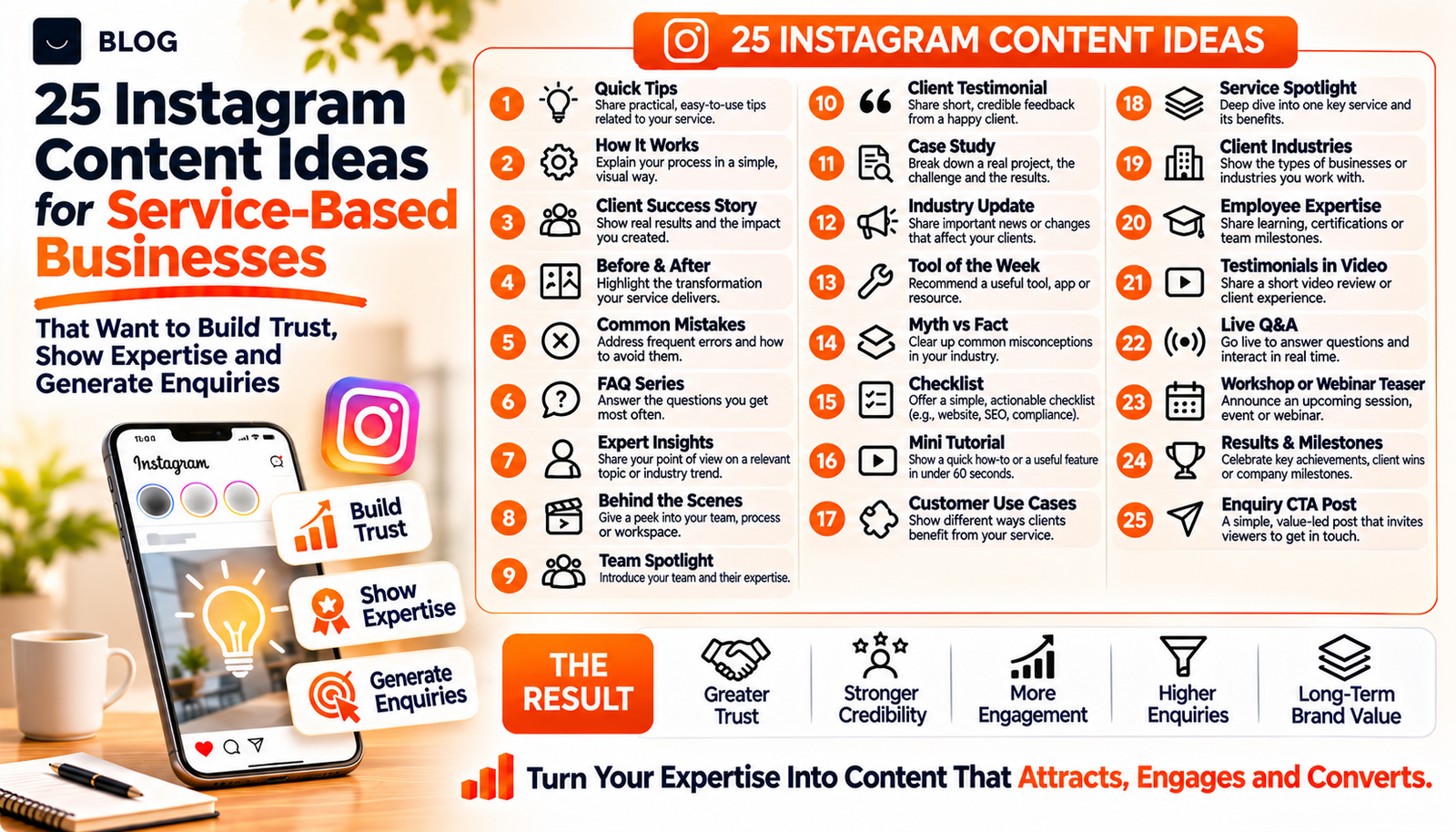
25 Instagram Content Ideas for Service-Based Businesses That Want to Build Trust, Show Expertise and Generate Enquiries
A bakery can photograph its cakes. A solar installer, accountant, dental clinic or interior design studio has a harder job. The product is an outcome, a process or a person's judgement, and none of these look obvious in a square photo. So many service businesses either post stock images and festival greetings, or do not post at all.
But people choosing a service are weighing risk. They want to know who they would be dealing with, whether the provider knows the subject and whether people like them have been satisfied. Instagram is a good place to show those things, because it lets a buyer watch your work and your people for a few minutes before they ever pick up the phone.
This guide lists 25 content ideas in five groups: trust, expertise, proof, process and enquiries. Each includes a format suggestion and a quick note on how to execute it. All of them can be made from what your business already has, with a phone and a little planning.
What Instagram content can and cannot do for a service business
It can make your business familiar, show that you are competent and real, and give interested people an easy way to start a conversation. Instagram also now rewards original work. Following an update on 30 April 2026, accounts that mainly post content they did not create or materially edit may not appear in recommendations to new audiences, so original posts from your own business are the right fit.
It cannot guarantee reach, followers or enquiries. Instagram's head, Adam Mosseri, has said that hashtags do not meaningfully increase reach, so the work goes into the posts themselves and into clear keywords in captions and on-screen text. Treat Instagram as one stage in a buyer's journey, supported by a website, reviews and a fast reply to messages.
Part 1: Build trust by showing the people and the place
1. Meet the team
Format: Reel or carousel.
How to do it: Introduce one team member at a time with their role, how long they have done it and one thing they enjoy about the work. Use a real photo or short clip, and name the service in the caption so people searching for it can find you.
2. A day in the life
Format: Reel or Stories.
How to do it: Follow one job from start to finish: the morning briefing, the site visit, the client call, the handover. Keep it short and show the effort that clients never see.
3. Behind the scenes of your workspace or sites
Format: Reel.
How to do it: Walk viewers through the studio, clinic, office or project site. Never show client information, patient details or anything private, and ask permission before filming people.
4. Why you started
Format: Talking-head reel.
How to do it: The founder explains in 30 to 45 seconds what problem they set out to solve and what they believe about doing the work well. Speak from bullet points rather than a script so it sounds natural.
5. How we handle mistakes
Format: Carousel.
How to do it: Describe your process when something goes wrong: how you communicate, how you fix it, what you change afterwards. Buyers worry about this more than they say.
Part 2: Demonstrate expertise
6. Question of the week
Format: Reel.
How to do it: Answer a real question a customer asked, in under a minute. Begin with the question on screen, then give the answer plainly and end with one next step.
7. Myth versus fact
Format: Carousel.
How to do it: Pick three beliefs that cost your customers money or time and correct them. Use one slide per myth with a short explanation, and cite a source for any figure.
8. A checklist for choosing a provider
Format: Carousel.
How to do it: List the questions a buyer should ask any provider in your field, including you. Checklists are easy to save and send to someone, and they signal confidence.
9. Jargon explained in 30 seconds
Format: Reel.
How to do it: Choose a term your customers hear but do not understand, such as "net metering", "crown lengthening" or "depreciation schedule", and explain it with a simple example.
10. Mistakes we see most often
Format: Carousel.
How to do it: Share the three to five errors you see repeatedly and how to avoid each one. Keep the tone helpful, not critical of other providers.
Part 3: Show proof
11. A client story
Format: Carousel or reel.
How to do it: With written permission, tell the story as problem, what you did and what changed. Use the client's own words where possible, and only numbers you can verify.
12. Before and after
Format: Carousel or reel.
How to do it: Show real transformations with matching angles and honest captions. Do not edit results to look better than they were, and check any advertising rules in your profession.
13. Review spotlight
Format: Single image or Stories.
How to do it: Share a genuine review with the reviewer's permission, and add one line about what the work involved. Link to the original review where you can.
14. A project walkthrough
Format: Reel.
How to do it: Take viewers through a finished project in time order: the brief, the key decisions, the result. Add on-screen text with the main facts so it works without sound.
15. Credentials explained
Format: Carousel.
How to do it: Explain what each licence, accreditation or membership means for the customer, in plain words. Include only credentials you hold and can verify.
Part 4: Explain your process
16. How it works in four steps
Format: Carousel.
How to do it: Lay out the path from first contact to delivery with what happens at each stage and who is involved. Pin it to your profile so new visitors see it first.
17. What to expect on day one
Format: Reel.
How to do it: Walk a new client through the first meeting, visit or call so they know what to prepare and what will happen.
18. What affects the price
Format: Carousel.
How to do it: List the factors that move your pricing and give a realistic range or starting point if you can. Transparency filters out poor-fit enquiries and builds trust.
19. The tools and materials we use, and why
Format: Reel.
How to do it: Show the equipment, software or materials you rely on and explain the reason in plain language. Avoid promoting brands you have no relationship with unless you mean to.
20. Timeline from enquiry to delivery
Format: Story highlight.
How to do it: Create a highlight that shows typical timings for each stage. It answers the "how long will this take" question before it is asked.
Part 5: Make it easy to enquire
21. A free checklist or guide
Format: Carousel with a comment or message keyword.
How to do it: Offer a short, useful download such as a pre-hire checklist. Ask people to comment or message a keyword and send it, with a personal reply to start the conversation. Follow Instagram's rules on automated messages.
22. Question box
Format: Stories.
How to do it: Invite questions with a question sticker once a week. Answer the best ones in a reel, and note the common ones as topics for your website.
23. Honest availability updates
Format: Single image or story.
How to do it: If you have limited capacity, say what is available this month and how to book. Only state scarcity that is real.
24. Local spotlight
Format: Reel with location tag.
How to do it: Feature a neighbourhood, a local partner or a nearby project, and tag the location. It supports local discovery and shows you are part of the community.
25. A "Start here" highlight and pinned posts
Format: Story highlight and pinned posts.
How to do it: Pin your three most useful posts and create a highlight that explains who you help, what you offer and exactly how to enquire. Keep the link in your bio and your contact buttons current.
A simple weekly rhythm
You do not need to post daily. Choose a rhythm you can keep for at least three months. This is a sample, not a rule.
| Day | Format | Idea to use |
|---|---|---|
| Monday | Carousel | Myth versus fact (7), checklist (8) or price factors (18) |
| Wednesday | Reel | Question of the week (6), team introduction (1) or jargon explained (9) |
| Friday | Reel or carousel | Proof: client story (11), project walkthrough (14) or before and after (12) |
| Most days | Stories | Question box (22), polls, behind the scenes (2, 3) and replies to questions |
| Monthly | Housekeeping | Refresh your pinned posts and highlights (25), review Insights and plan the next month |
Batch the work. Film several reels in one session and write captions in advance, so that consistency does not depend on motivation.
Common mistakes to avoid
Posting only promotions. Offers and announcements have a place, but a feed made entirely of them gives people no reason to follow.
Relying on hashtags for reach. Instagram's head has said hashtags do not meaningfully increase reach. Write clear captions with the words a customer would search, and use a few relevant hashtags at most.
Using stock images. They say nothing about your business. Real photos and footage of your work and your people are more convincing.
Sharing client information without permission. Get written consent for names, photos, results and anything that could identify a person, and follow the confidentiality rules of your profession.
Leaving messages unanswered. An enquiry that waits three days is usually lost. Reply quickly, and set up quick replies for common questions.
Having no next step. Each post should lead somewhere: a question to answer, a checklist to request or a page to read.
Conclusion
Service businesses do well on Instagram when they show what buyers cannot easily see elsewhere: the people, the thinking and the proof. You already have the material. The task is to turn it into a regular, simple series of posts that answer the questions customers have.
Start with five ideas that fit your business, one from each group. Test them for a month, note which ones attract questions and enquiries, and build from there.
If you would like help planning, filming and managing Instagram content that builds trust and brings in enquiries, Crescent Digital Solutions offers social media marketing, video editing, graphic design and content marketing under one team. We can help you build a content plan around your services and your customers' questions.
← Back to all postsFrequently asked questions
As often as you can keep up for several months. Three feed posts a week plus Stories most days is a realistic rhythm for many small teams, and consistent quality matters more than volume.
Instagram's head, Adam Mosseri, has said hashtags do not meaningfully increase reach. They can help categorise a post, but clear captions, on-screen text and keywords matter more for discovery.
Use both. Reels are well suited to reaching people who do not follow you yet, while carousels suit checklists and step-by-step explanations that people save. Test each against your own results.
Occasionally, with permission and credit. But Instagram's April 2026 update says accounts that mainly post content they did not create or materially edit may not appear in recommendations to new audiences, so build your account on original posts.
Make the next step obvious: a clear bio, a link to a page designed for enquiries, working contact buttons, a pinned how-it-works post and fast replies to messages. Offer a useful free resource that people can request.
Ready to build what's next?
Tell us where you're headed. We'll come back with a plan to get there.
Book an intro call