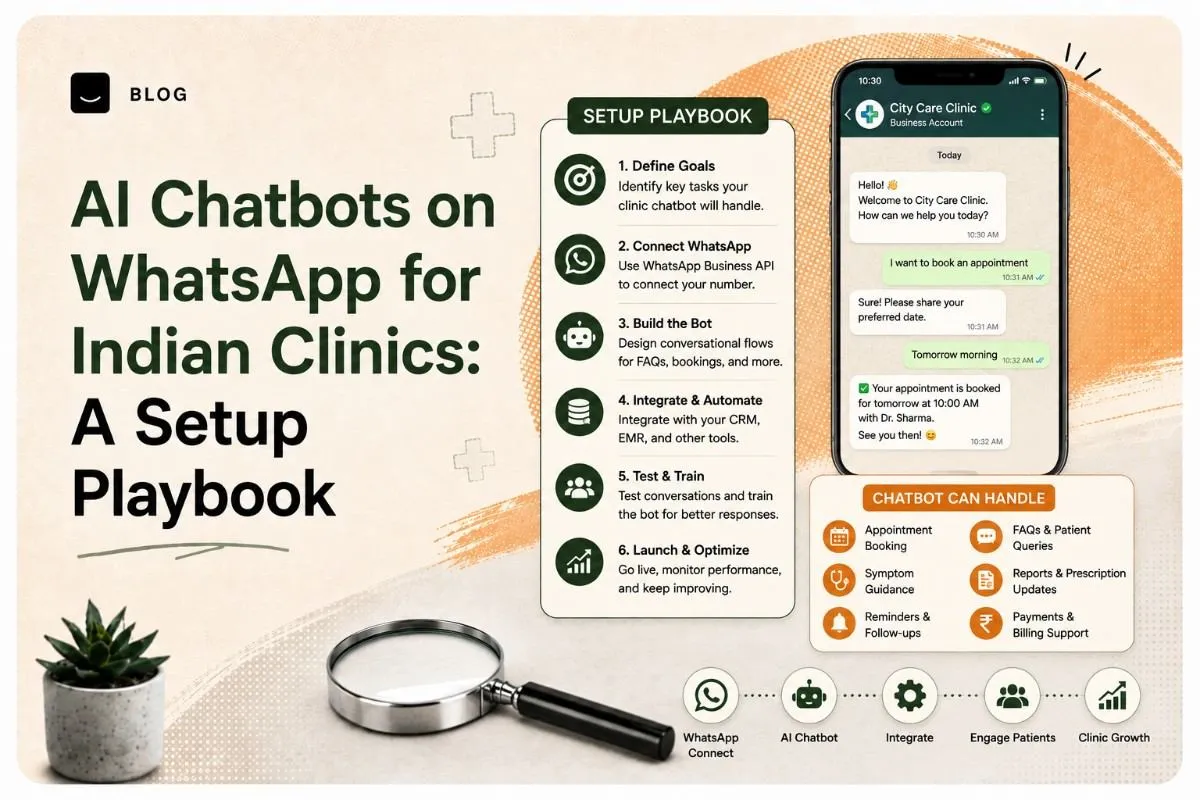
AI Chatbots on WhatsApp for Indian Clinics: A Setup Playbook
A WhatsApp chatbot lets an Indian clinic handle appointment booking, reminders, directions and routine questions automatically — on the app patients already use every day. Done properly, it cuts the front-desk phone load significantly and stops enquiries going unanswered after hours.
Done badly, it puts a machine between a worried patient and a doctor. This playbook covers how to set one up, and — just as importantly — where to draw the line.
The line, stated up front: a clinic chatbot should handle logistics, not medicine. It books, reminds, informs and routes. It does not assess symptoms, suggest a diagnosis, or advise on treatment. Everything below is built on that boundary.
Why WhatsApp, and why now
For most Indian clinics, WhatsApp is where patients already are. Patients message it more readily than they call, they read messages there, and it requires no app download or portal login — which matters enormously for older patients and anyone less comfortable with technology. Practo and JustDial versus your own website
The practical case is simple. A front desk can handle one call at a time, during clinic hours. A WhatsApp flow handles many conversations at once, at 11pm on a Sunday, in the patient's own language. WhatsApp marketing tactics in India
Most clinic enquiries are logistical — are you open, where are you, can I move my appointment, what should I bring — and those are exactly the questions automation handles well.
What a clinic chatbot should and shouldn't do
This is the part most vendors skip, and it's the part that matters most.
Safe to automate
- Appointment booking, rescheduling and cancellation
- Appointment reminders and pre-visit instructions such as "fasting required" or "bring previous reports"
- Clinic information — timings, address, directions, parking, and which doctors sit on which days
- Preparation instructions for a scheduled test or procedure, where those instructions are standard and pre-approved by the clinic
- Post-visit logistics — how to collect a report and how to book a follow-up
- Routing — understanding what the patient needs and directing them to the right person
- Feedback requests after a completed visit
Never automate
- Symptom assessment or triage advice. A chatbot must not tell a patient how serious their symptoms are, or whether they need to come in urgently.
- Diagnosis, or anything resembling one.
- Medication guidance — dosage, interactions, or whether to stop or continue something.
- Interpreting test results.
- Emergency handling. Anything urgent must route to a human immediately, with clear emergency instructions displayed.
If a patient's message suggests distress or urgency, the correct chatbot behaviour is to stop automating and escalate — fast, and visibly.
What you need before you start
- A WhatsApp Business account, or WhatsApp Business API access for anything beyond basic volume
- A verified business profile — clinic name, address, hours and website
- Your existing appointment system, or a clear plan for how bookings will be recorded
- A named staff member responsible for monitoring handoffs
- Your standard patient instructions written down and approved by the clinic's doctors
That last one matters more than the technology. A chatbot can only reliably say what you've already decided it should say.
Step 1: Choose your WhatsApp setup
There are two realistic paths.
WhatsApp Business app — free, quick, and workable for a small single-doctor clinic. You get away messages, greeting messages, quick replies and labels. It's manual, but it's a genuine improvement over nothing. the WhatsApp Business messaging policy
WhatsApp Business API via a provider — needed for real automation, structured flows, multiple simultaneous conversations, and integration with a booking system. This is what "chatbot" usually means in practice, and it involves a provider, approval, and cost.
Start with the app if you're small and testing the idea. Move to the API when message volume justifies it.
Step 2: Map the conversations you actually get
Before designing anything, spend a week logging what patients actually message and call about. Most clinics find the same pattern: a handful of question types make up the large majority of enquiries.
Write down the top ten. That list is your build scope. Automating those ten well beats building a sprawling flow that tries to cover everything and handles most of it poorly.
Step 3: Write the flows before you build them
Write each conversation out in plain text first — patient message, bot reply, next options — and have a doctor and a front-desk staff member read it. They'll immediately catch tone problems and edge cases a developer won't.
Three rules for writing clinic flows:
- Keep replies short. Patients read WhatsApp on a phone, often in a hurry.
- Always offer a way out. Every step should include an option to reach a human.
- Write in the language your patients use. For most Indian clinics that means Hindi or a regional language alongside English, in the phrasing patients actually use — not formal translated text.
Step 4: Add AI where it genuinely helps
You don't need AI for a booking flow — buttons and menus do that reliably and predictably. AI earns its place in narrower spots:
- Understanding free-text messages. Patients don't always tap the menu; they type "kal ka appointment cancel karna hai." AI is good at mapping that to the right flow.
- Answering routine FAQs from your own approved content — clinic policies, timings and preparation instructions.
- Language handling. Responding naturally in the patient's language, including mixed Hindi-English.
- Drafting replies for staff to approve, rather than sending automatically.
Notice what's absent: AI generating medical content. Keep the AI's answers grounded in clinic-approved material only. A general-purpose model left to answer health questions freely is exactly the failure mode to design against.
Step 5: Build the human handoff
The handoff is the safety mechanism, so build it before you build the clever parts.
Define explicitly what triggers it: any mention of urgent symptoms, any message the bot can't confidently handle, any request for clinical advice, any expression of distress, and any explicit request to speak to a person.
When triggered, the bot should say clearly that a person will respond, give the clinic phone number, and — for anything urgent — display emergency contact instructions immediately rather than waiting.
Then make sure someone is actually watching. A handoff that goes to an unmonitored inbox is worse than no chatbot.
Step 6: Test with real staff before real patients
Run the full flow with your own team pretending to be patients, including deliberately awkward cases: someone typing in mixed language, someone describing a symptom, someone asking about medication, someone in a hurry and frustrated.
Watch specifically for the cases where the bot should escalate and doesn't. Fix those before going live.
Then launch quietly — one flow, a subset of patients — before announcing it.
Measuring whether it's working
Track four things:
- Volume handled without a human — the direct efficiency gain
- Handoff rate and handoff response time — the safety measure that matters most
- After-hours enquiries captured that would previously have been missed
- Patient feedback — ask directly whether it was helpful or frustrating
If handoff response time is slow, fix that before expanding automation. Speed of escalation is the thing that keeps this safe.
A WhatsApp chatbot is one of the highest-leverage, lowest-cost improvements an Indian clinic can make — provided it stays firmly on the logistics side of the line. Automate the appointment, never the diagnosis.
Want help setting up a WhatsApp flow for your clinic, built around your actual patient enquiries?
Contact Crescent's website development services for a free consultation.
Frequently asked questions
A clinic WhatsApp chatbot can handle appointment booking, rescheduling and cancellation, send reminders and pre-visit instructions, share clinic timings, address and doctor availability, explain report collection, and route enquiries to the right person. It handles logistics, not medical advice.
No. A clinic chatbot should never assess symptoms, suggest a diagnosis, advise on medication, or interpret test results. Any message suggesting urgency or distress should immediately escalate to a human, with clear emergency contact instructions displayed.
The free WhatsApp Business app supports greeting messages, away messages and quick replies, which suits a small single-doctor clinic testing the idea. The WhatsApp Business API is needed for genuine automation, structured flows, many simultaneous conversations and integration with a booking system.
Yes, and it usually should. Most Indian clinic patients message in Hindi, a regional language, or a mix of the local language and English. Flows should be written in the phrasing patients actually use rather than formal translated text.
Restrict it to logistics, ground all answers in clinic-approved content rather than letting a general AI model answer health questions freely, define explicit triggers that escalate to a human, display emergency instructions for anything urgent, and ensure a named staff member actively monitors handoffs.
Ready to build what's next?
Tell us where you're headed. We'll come back with a plan to get there.
Book an intro call