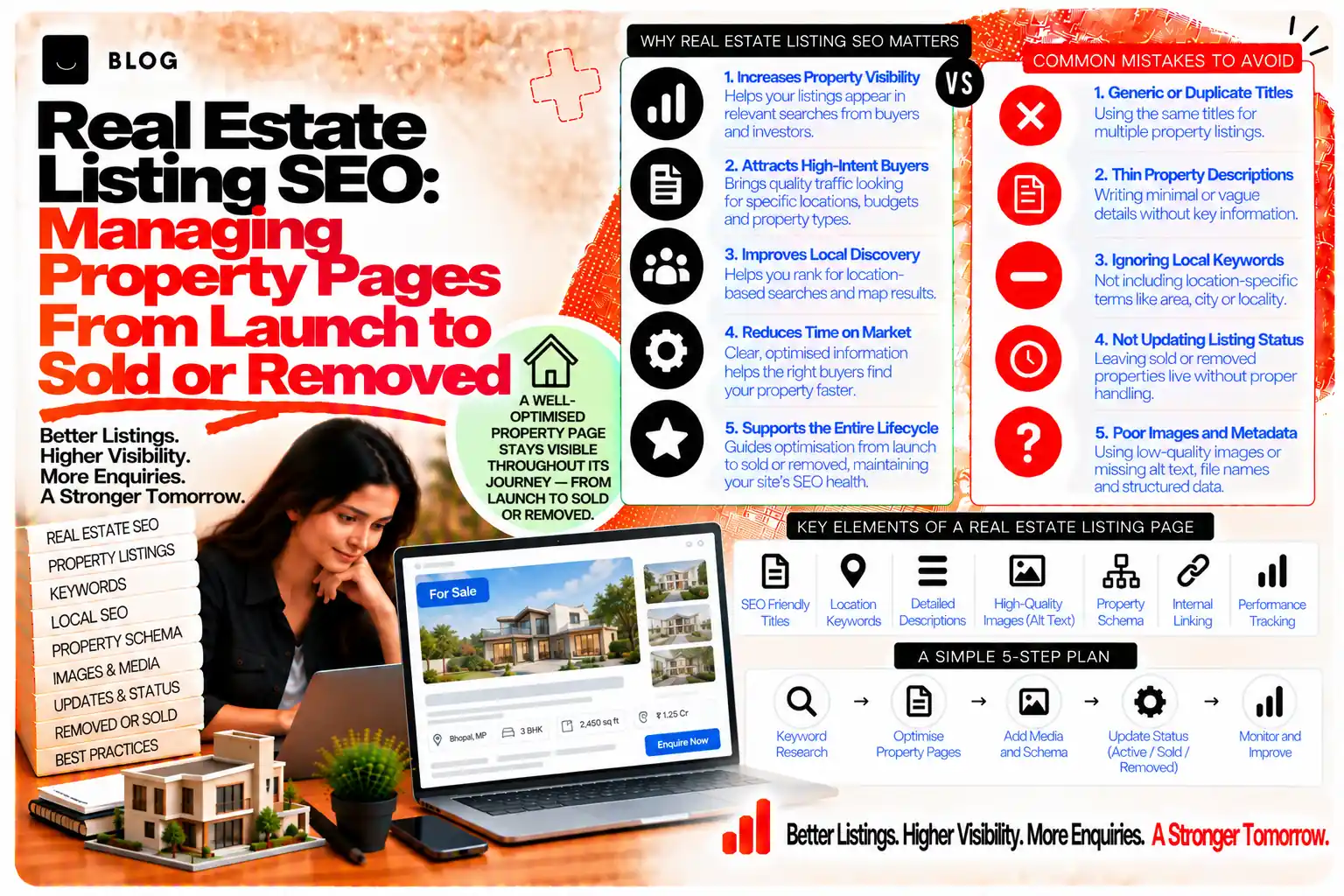
Real Estate Listing SEO: Managing Property Pages From Launch to Sold or Removed
A property portal, an agency website or a developer's project site can have thousands of listing pages, and most of them share a template. Each has a price, a location, a set of bedrooms and bathrooms, a photo gallery and a description. Left unmanaged, those pages become near-duplicates that compete with each other, expired listings that dead-end visitors, and filter combinations that multiply into a crawl problem nobody intended.
Listing SEO is different from both ecommerce and general content work. Inventory changes constantly. A listing can be live for a week or a year. Its value depends on accurate details, a clear location, and a sensible decision about what happens when it is sold, rented or withdrawn. And the site's real search opportunity often lies in location pages, not in individual listings.
This guide covers the lifecycle of a listing page, the content that separates one property from another, and the choices about which pages should be indexed.
What listing SEO can and cannot do
Good listing pages can rank for specific property searches, local area queries, and the high-intent terms buyers and renters use. They can bring enquiries directly, and they can build a site's authority on a set of neighbourhoods over time.
They cannot make a poor property sell, and they cannot compensate for inaccurate pricing or photos. A well-optimised page for a property that is overpriced or misdescribed will attract clicks and then lose trust.
Stage 1: Launch a listing that stands apart
The core problem of listing SEO is that many properties share the same description template. Two flats in the same building can have near-identical pages with only the number changed. Search engines and buyers both see little reason to prefer one.
Each listing should carry details that are specific to that property:
- A title that names the property type, the location and one distinguishing feature, such as "Two-Bedroom Apartment, Shivaji Nagar, Bhopal, with Balcony and Covered Parking". Avoid stuffing several keywords into the title.
- An H1 that matches the title's core details, so the page topic is clear.
- A description written for the property, covering the layout, what is nearby, the condition, and the features that matter to the buyer or renter. A paragraph on the local transport link is more useful than a generic line about "prime location".
- Accurate, specific facts, including size, floor, age of the building, parking and any restrictions, presented as text rather than only in images or PDFs.
- Photos with descriptive alt text, following the image SEO post. Alt text should describe the room or view, not repeat the keyword list.
- Clear status and dates, such as "Listed 3 October" and "Price updated 12 October". Recent, dated information signals that the listing is maintained.
The aim is that no two listing pages are interchangeable. Where the data is structured, the description can be generated from it, but it should still include a sentence or two written for that property.
Stage 2: Keep the listing accurate while it is live
Inventory changes. Prices fall, photos are updated, and features are added or removed. Keeping pages accurate matters for both buyers and search, because a page showing the wrong price loses trust fast.
Set up a process for:
- Price and availability updates, reflected in the page and in any structured data used, within a short window
- Photo and description refreshes when a property's condition changes
- Review cycles for long-running listings, which may need fresh content if they have been live for months
The content freshness post covers when an update is meaningful. For listings, meaningful updates are factual changes and new information, not changed dates alone.
Stage 3: Decide what happens when the listing ends
This is the stage most portals handle poorly. A sold or rented property page is removed from the feed, and it returns a 404, or it stays live with a "Sold" banner and nothing else. Both choices waste value and frustrate visitors who arrive from search.
A better approach depends on the listing's history and the site's structure.
Keep the page with a clear status and useful alternatives. Mark the listing as sold or let, and show similar available properties nearby. The page keeps its URL, its history and its links, and visitors have somewhere to go. This works well for properties in areas where demand is steady.
Redirect to the location or category page. Where the property had no lasting interest, redirect to the stronger neighbourhood or property-type page. The visitor lands on relevant inventory, and the old URL's value passes to a page that can keep it.
Archive with a clear message. For listings with little history, a 410 status can signal permanent removal. Check the page's links and search history first, so value is not lost unintentionally.
The content pruning post covers the decision logic for removing or merging pages, which applies directly to expired inventory.
Stage 4: Choose which location and filter pages to index
The real search opportunity for most property sites lies in pages that describe an area, a property type or a combination of them, such as "two-bedroom flats in a particular locality" or "apartments near a metro station". These pages can rank for search demand that individual listings cannot.
But filters can multiply pages quickly. Bedrooms, price band, property type, furnishing and sort order can generate thousands of combinations, most of them thin or duplicate.
Decide deliberately:
- Which locations deserve a page of their own, based on search demand and inventory depth
- Which filter combinations are worth indexing, typically a small set tied to real search demand
- Which filter and sort URLs should be excluded, through canonical tags, noindex or robots rules as appropriate
Each indexable location or category page needs real content: an overview of the area, typical prices and property types, transport and amenities, and a list of current listings. A page with only a grid of listings and no text adds little. The pagination and faceted navigation post covers the crawl-control rules in detail, and this decision should follow from them.
Stage 5: Build internal links to the stronger pages
Listing pages are easy to leave isolated. Each one may be reachable only through search or a filter, and that weakens the signals that help the site's valuable pages rank.
Link the important pages clearly:
- From listing pages to their neighbourhood and property-type pages, with descriptive anchor text
- From location pages to a sample of current listings, updated regularly
- From guides and area content to the location hubs
The internal linking strategy post covers how to structure these links so that the site's topical relationships are clear.
Stage 6: Measure what the listings are for
Judge listing pages by enquiries, viewings and sales or lettings, not by traffic alone. Search Console shows which queries bring visitors to listings and location pages, which helps decide where to add content. Analytics shows what those visitors do next.
Look for:
- Location pages with impressions but few clicks, which may need stronger titles or descriptions
- Listings with traffic but no enquiries, which may need clearer pricing, better photos or a clearer call to action
- Expired listings still receiving visits, which point to redirect or status decisions needed
- Filter combinations that attract search demand, which may justify a dedicated page
What listing SEO cannot do
It cannot sell a property that the market does not want at its price. It cannot replace the trust built by accurate details and responsive agents. And it cannot make thin, duplicated listing pages rank for competitive searches when they offer nothing distinct. The strongest results come from accurate inventory, genuinely useful area content, and a clear lifecycle for every page.
Common listing SEO mistakes to avoid
Using identical descriptions across listings. The pages compete and offer little reason to prefer one.
Leaving sold listings live with no status or alternatives. Visitors dead-end and leave.
Returning 404s for every expired listing without checking. Lost links and history.
Indexing every filter combination. This creates thousands of thin pages.
Letting prices and availability go stale. Wrong information damages trust quickly.
Keeping listing pages isolated. They need links to the location and category pages that carry search demand.
Frequently asked questions
Often yes, if the page keeps a clear sold status and links visitors to similar available properties. If the listing had little history or demand, redirecting to a stronger location or category page is usually better.
Give each one unique, specific content, keep it accurate, and link it to strong location and property-type pages. Rank the location pages for competitive area searches, since they carry more search demand than single listings.
A small set tied to real search demand, such as particular locations or property types. Control the rest with canonical tags, noindex or robots rules.
Yes, for image search and for the page's usefulness. Use descriptive alt text and sensible file sizes, following the image SEO post.
Whenever the facts change, and on a review cycle for long-running listings. Meaningful updates matter more than changed dates.
Yes. Agencies and developers with multiple listings or project pages face the same duplication, expiry and location-page questions, on a smaller scale.
Ready to build what's next?
Tell us where you're headed. We'll come back with a plan to get there.
Book an intro call