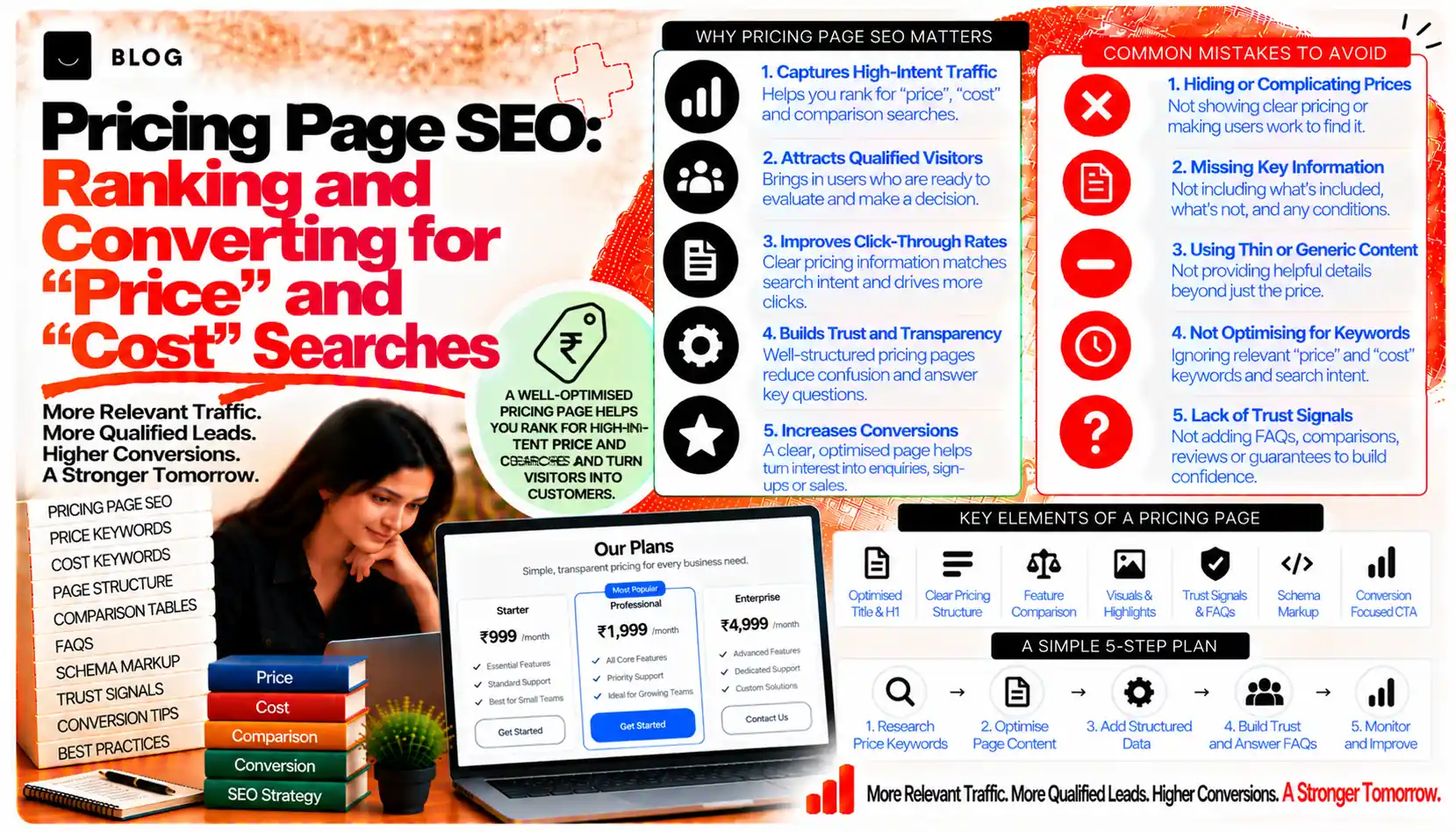
Pricing Page SEO: Ranking and Converting for "Price" and "Cost" Searches
Before most buyers contact a provider or start a trial, they want to know roughly what it will cost. They search for the price directly, or for the cost of a service, a plan or a category. A pricing page answers that question, and it is often one of the most visited pages on a service or software site. Yet many pricing pages are either missing, hidden behind a contact form, or so vague that they answer nothing.
Pricing page SEO is the discipline of making that page findable for cost searches and useful once found. It requires honesty about what is included, clarity about how plans differ, and a sensible approach to pricing that is custom or negotiated. Done well, the page attracts buyers who are ready to decide and sets expectations that prevent wasted enquiries. Done badly, it attracts clicks and disappoints.
This guide covers how cost searches behave, how to structure a pricing page, how to handle custom quotes, and how to measure the page's results.
What pricing page SEO can and cannot do
A well-built pricing page can capture high-intent searches for cost, help buyers compare options, and reduce unqualified enquiries by making the range of prices clear. It can also support the sales process by setting expectations early.
It cannot make an expensive offer look cheap, and it cannot hide a poor fit behind a low headline price. A page that misrepresents cost will generate complaints, refunds and negative reviews, which damage ranking and trust over time.
Step 1: Understand what cost searches look like
People search for price in several ways: "how much does X cost", "X pricing", "X plans", "X cost per month", and comparisons such as "X vs Y pricing". Each signals a buyer in the consideration stage, often comparing several providers at once.
Some searches want a number. Others want to understand what drives the number. A few want to know whether a provider is within their budget at all. The page should serve all three, without forcing the reader to contact someone first.
Research these queries in the keyword tools you use, and note which terms appear in the market, the language buyers use and the currency or unit they expect, such as per month, per project or per user.
Step 2: Decide what the page must show
A pricing page should answer the questions a buyer has before committing. For most services and software, that means:
- The starting price, or a clear indication of the range, with the unit stated
- What each plan or package includes, presented as a comparison
- What is excluded, such as setup fees, taxes, extra users, usage charges or third-party costs
- Contract terms, such as minimum commitment, billing cycle and cancellation
- Who each option is for, so the buyer can match themselves to a plan
- How to start, with a trial, a consultation or a direct purchase route
If any of these is missing, the reader has to contact the provider to find out, and many will not.
Step 3: Structure plans for comparison
Plans are easier to compare when the page uses a consistent structure. Present plans side by side where the screen allows, with the same features listed in the same order for each. Highlight the most popular option only if it genuinely suits most buyers, and say why.
Good comparison design:
- Uses the same labels for features across all plans
- Marks differences clearly, rather than burying them in footnotes
- Explains technical terms in plain language near the table
- States limits, such as user counts, project volumes or support hours, with the actual figures
Avoid comparison tables that hide the cheapest option's limits. A reader who discovers a limit after signing up will feel misled, and the page's conversion results will eventually reflect it.
Step 4: Handle custom and negotiated pricing honestly
Many services and enterprise products cannot quote a single price, because scope varies. That is acceptable, provided the page explains how pricing is determined rather than leaving the reader with nothing.
Options that work well:
- A starting price with a clear basis, such as "from a stated amount per month for a defined scope", followed by the factors that increase it
- A worked example showing what a typical engagement costs, labelled clearly as an example
- A structured quote route, with a short form that asks only for the information needed to estimate
- Published ranges where the market and the provider's model support them
Avoid "contact us for pricing" as the only answer. It may be necessary for some offers, but it loses the buyers who want to compare before speaking to anyone. If you use it, pair it with a description of how the price is set.
Step 5: Be accurate about currency, tax and location
Pricing pages often mislead through omission. A price shown without tax, without currency or without the market it applies to can create confusion and complaints.
State clearly:
- The currency, and whether the price includes or excludes applicable taxes
- Any regional differences, where the same plan costs different amounts in different markets
- Whether prices apply to a particular country, region or customer type
- The date the prices were last reviewed
Where a page serves more than one market, keep each market's pricing on its own version, and use hreflang correctly, as the hreflang post covers. Mixing currencies on one page confuses both readers and search engines.
Step 6: Target cost queries without thin or misleading pages
It can be tempting to create many pricing pages for every variant of a query, such as "X cost in Bhopal" or "X price for small business". Each extra page must offer distinct and accurate information. A page that changes only the city name, or repeats the same numbers for different queries, adds little.
Build pages around genuine variants:
- A pricing page for each main offer, with its own plans and inclusions
- A pricing guide that explains the factors behind cost, linking to the main pricing page
- Location or segment pages only where pricing or scope genuinely differs
The city pages and location strategy work applies here, with the same caution about duplication. The pagination and faceted navigation post covers how to control crawl for filtered or variant URLs.
Step 7: Make the page easy to trust
Trust signals support both conversion and search. Use them where they are true:
- Clear refund and cancellation terms, stated in full on the page or linked from it
- Real customer examples, with the client's permission and accurate results
- Named people and credentials, where relevant, following the E-E-A-T guidance in the author expertise post
- Visible contact details so the reader knows how to reach a real person
Avoid invented testimonials, fabricated savings claims and countdown timers that create false urgency. These breach platform rules and damage trust once discovered.
Step 8: Keep prices current
Prices change. A pricing page showing old figures is one of the fastest ways to lose a buyer and to generate complaints. Set a process so that:
- Prices are reviewed at a regular interval and whenever plans change
- Any change is reflected in the page, the structured data if used, and the sales materials
- Old pricing is not left live on archived pages or cached documents
The content freshness post covers when an update is meaningful. For pricing, a change to a figure, an inclusion or a term is always meaningful.
Step 9: Measure what the page does
Judge the pricing page by the enquiries, trials and sales it produces, not by traffic alone. Search Console shows which cost queries bring visitors, and analytics shows what those visitors do next.
Look for:
- Cost queries with impressions but few clicks, which may need clearer titles and descriptions that state the starting price or range
- Pages with traffic but few enquiries or trials, which may need clearer plan comparison or a simpler route to start
- High exit rates on the plan comparison, which may indicate confusing structure or hidden limits
- Enquiries that ask basic price questions, which show the page is not answering them
What pricing page SEO cannot do
It cannot make a product or service cheaper than it is, and it cannot guarantee that a cost query will convert. It cannot replace a sensible pricing strategy, and it cannot compensate for poor value. The strongest pricing pages are honest about cost and clear about value, and they let the buyer decide with the facts in front of them.
Common pricing page mistakes to avoid
Hiding the price entirely. Buyers who cannot find a figure often leave.
Omitting taxes, currency or contract terms. It creates disputes and complaints.
Using a low headline price with hidden limits. The discovery damages trust and conversion.
Creating thin pages for every cost variant. Each page needs distinct, accurate information.
Leaving old prices live. Outdated figures mislead buyers and create support problems.
Using invented urgency or testimonials. They breach platform rules and destroy credibility.
Frequently asked questions
Yes, where possible. A starting price, the basis for pricing, a worked example or a published range helps buyers qualify themselves. If full prices are not possible, explain how the price is set.
It can capture high-intent cost searches, but its strength comes from clear, accurate content that matches what buyers are looking for. It works best alongside the main product or service pages.
One for each main offer, plus a guide that explains cost factors. Add location or segment pricing pages only where the price or scope genuinely differs.
It can help buyers estimate cost, provided the calculation is accurate and its assumptions are stated. A calculator that obscures the result or collects data without explanation damages trust.
Compare the scope, not only the number. Make your inclusions and limits clear, so buyers can judge value. Avoid claims about competitors that you cannot support.
At least at each change to plans, and on a regular cycle that suits the business. Any change should be reflected everywhere the prices appear.
Ready to build what's next?
Tell us where you're headed. We'll come back with a plan to get there.
Book an intro call