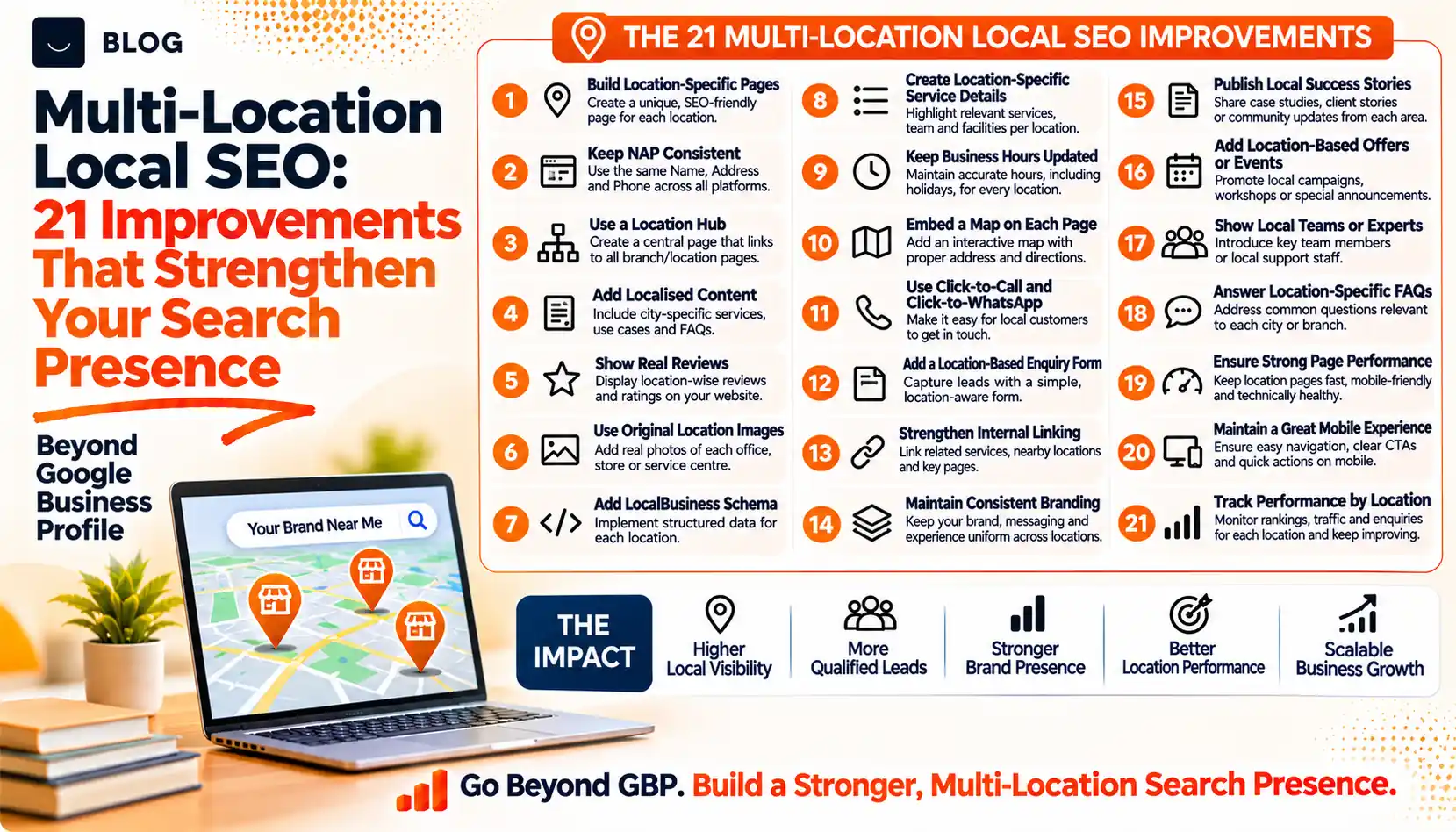
Multi-Location Local SEO: 21 Improvements That Strengthen Your Search Presence Beyond Google Business Profile
A dental group with six clinics has a well-kept Google Business Profile for each one. Reviews are answered and photos are current. Yet when someone searches for a dentist in one of the smaller towns, the group's name rarely appears, and when an AI assistant is asked the same question it mentions a single clinic and gives an outdated phone number.
The profile is only one part of a local presence. For a business with several locations, the website, directory listings, reviews, internal links and tracking all need to work location by location, and they need to agree with each other. Where they do not, search engines and AI assistants have to guess which details are right.
This guide covers 21 improvements grouped into five areas: location pages, technical setup, consistent data, reviews and reputation, and authority and measurement. Each has an action and a pitfall. They apply to clinics, branches, franchises, showrooms and any business with more than one place customers can use.
What multi-location local SEO can and cannot do
It can make each location easier to find, understand and trust, and it can stop your own locations from confusing search systems or competing with each other. It also produces cleaner data for sales and operations teams.
It cannot create a presence where you do not operate. Google's guidelines tie a Business Profile to a real location, and its spam policies name doorway abuse, which covers pages created to rank for similar queries that lead people to less useful intermediate pages. The answer to "how do we rank in ten more cities" is rarely ten more pages. It is better information about the places you genuinely serve.
Part 1: Location pages that earn their place
1. A dedicated page for every real location
What to do: Give each location its own page with its address, phone number, opening hours, map, directions, parking or transport notes, services offered, team and photos of the actual premises.
Watch out for: Listing all locations in one table on a single page. Visitors and search systems cannot tell which details belong to which place.
2. Content that is genuinely local
What to do: Add what only that branch can say: the people who work there, local projects, customer stories from the area, local partnerships and the questions that branch hears most.
Watch out for: Copying one description across every page and swapping the town name. Google's spam policies describe doorway abuse as pages made to rank for similar queries, and near-identical city pages are the pattern to avoid.
3. Service-area pages only where you really serve
What to do: If you travel to customers in nearby areas, create a page for an area only when you can say something useful about how you serve it, such as travel times, typical jobs, charges and coverage.
Watch out for: Creating pages for towns you never visit in order to appear in more searches.
4. A crawlable location hub
What to do: Build one "Locations" page that links to every location page with normal HTML links, plus a store locator if you need one.
Watch out for: A locator that only works through scripts or a search box, so crawlers and assistants cannot find the pages behind it.
5. Clear service availability per location
What to do: State which services each location provides, including any that are available only at certain branches.
Watch out for: Showing the full service list everywhere. Customers arrive for a service that branch does not offer, and assistants repeat the mistake.
6. Local actions that work on every page
What to do: Put a tappable phone number, directions link and booking or enquiry option on each location page, ideally with a number or form that routes to that branch.
Watch out for: Sending every location's enquiries to one central form with no way to tell which branch the visitor wanted.
Part 2: Technical foundations
7. A clean URL and link structure
What to do: Use a predictable structure such as /locations/town-name/, link from the hub, the footer and related service pages, and add breadcrumbs.
Watch out for: Burying location pages four clicks deep or giving them near-identical URLs.
8. Structured data for each location
What to do: Add LocalBusiness or a more specific type to each location page, using that location's details. Google documents LocalBusiness and Organization markup and advises that structured data match the visible page. Validate it after every change.
Watch out for: Marking up one head-office address on every page, or adding details that do not appear on the page.
9. Indexing and crawl checks
What to do: Confirm in Search Console that each location page is indexed, included in your sitemap, not blocked by robots.txt and not canonicalised to another location.
Watch out for: A template that gives every location page the same canonical tag, which tells Google to treat them as one page.
10. Mobile speed on location pages
What to do: Test location pages on real phones. Web.dev's Core Web Vitals targets, measured on real visits, are Largest Contentful Paint within 2.5 seconds, Interaction to Next Paint within 200 milliseconds and Cumulative Layout Shift of 0.1 or less.
Watch out for: Heavy embedded maps and image sliders that slow the page people use most when they are on the move.
Part 3: Consistent data and citations
11. One master record for every location
What to do: Keep a single sheet with each location's exact name format, address, phone, hours, categories, website URL and services. Update it first, then update everything else from it.
Watch out for: Several teams editing different platforms with no shared record.
12. The directories that matter
What to do: Claim and complete your listings on the major platforms and the directories specific to your industry and country, for example Bing Places and Apple Business Connect where available.
Watch out for: Paying for dozens of low-quality directories. A small number of accurate, relevant listings beats a long list nobody maintains.
13. A naming convention you apply everywhere
What to do: Decide how each location's name appears and follow each platform's rules for business names. Use the same pattern on your website.
Watch out for: Adding keywords or town names to a business name on a profile, which can breach platform guidelines.
14. Duplicate, moved and closed locations
What to do: Search for duplicate listings, old addresses and closed branches. Merge or remove duplicates, mark closures properly and redirect old location pages to the nearest relevant page.
Watch out for: Leaving a closed branch live. It collects calls and complaints, and assistants keep recommending it.
Part 4: Reviews and reputation by location
15. A repeatable, honest review process
What to do: Ask every customer after each visit, with a link to the right location's profile. Train staff on when and how to ask.
Watch out for: Offering incentives or selectively asking only happy customers. Both breach platform rules and damage trust.
16. Local, human replies
What to do: Have the branch manager or a trained person reply to each review in a way that refers to the specific visit, within a stated target time.
Watch out for: One copied reply used for every review. Readers recognise it immediately.
17. Real reviews on location pages
What to do: Show genuine, recent reviews for that location on its page and link to the source. Remember that Google does not show review stars for a business's own reviews marked up on its own site.
Watch out for: Writing testimonials yourself or displaying reviews from a different location.
Part 5: Authority and measurement
18. Local links and mentions
What to do: Earn mentions from local organisations, chambers of commerce, suppliers, event organisers and local press, tied to the branch involved.
Watch out for: Buying links or inventing mentions. Google's guide says that seeking inauthentic mentions is not as helpful as it might seem.
19. Local photos and video
What to do: Publish real photos and short videos of each branch and team, with descriptive file names and captions. Google notes that images and video can appear in its AI search features too.
Watch out for: Stock imagery that could belong to any business anywhere.
20. Local content only where it is useful
What to do: Write a local guide, case study or FAQ when a branch has something specific to say, such as parking at a hospital campus or permits in a particular council area.
Watch out for: Producing one generic article per town. Google says scale without value breaches its scaled content abuse policy.
21. Tracking by location
What to do: Track each location separately: page-level data in Search Console and analytics, call tracking or distinct numbers, tagged links on profiles, and a monthly check of the questions customers ask AI assistants about each branch.
Watch out for: Reporting one combined number for the whole business. It hides which locations are strong and which need work.
Where to start
You do not need to do all 21 at once. This order works for most multi-location businesses.
| Stage | Items | Why this order |
|---|---|---|
| 1. Fix the foundation | 9, 11, 14 | If pages are not indexed and the data is inconsistent, nothing else will hold |
| 2. Build the pages | 1, 2, 4, 5, 6, 7, 8 | Each location needs a clear, useful page that people and search systems can reach |
| 3. Strengthen trust | 12, 13, 15, 16, 17 | Reviews and consistent listings confirm your details from outside your site |
| 4. Grow authority | 3, 10, 18, 19, 20 | These add depth once the basics are sound |
| 5. Measure | 21 | Location-level reporting shows where to invest next |
Common mistakes to avoid
Treating every location the same. Locations differ in staff, services, competition and customers. Pages and reporting should reflect that.
Chasing rankings in places you do not serve. It risks spam action, wastes effort and sends enquiries you cannot fulfil.
Managing everything centrally with no local input. Head office knows the brand. Branch teams know the details that change, such as hours, staff and services.
Ignoring brand or franchise rules. Naming, categories and listing ownership may be set by agreements. Check before changing profiles.
Measuring only rankings. A branch can rank well and still receive few calls. Track calls, directions and enquiries by location.
Conclusion
A Google Business Profile is the starting point of a local presence, not the whole of it. For a business with several locations, the strongest results come from pages that are honest and specific for each place, data that is consistent everywhere, reviews that are earned and answered locally, and reporting that shows each location separately.
Begin with an audit of your locations: which are indexed, which have a real page, and where the details disagree. The first round of fixes is usually quick and often the most valuable.
If you manage several branches and would like a clear picture of how each one appears in search and in AI answers, Crescent Digital Solutions can review your location pages, listings and tracking and recommend a prioritised plan. Our SEO, AEO and GEO services are designed to keep location information accurate, consistent and easy to find.
Frequently asked questions
One for each real location you operate. Add a service-area page only for an area you genuinely serve and can describe with useful, specific detail, such as travel times, typical work and coverage.
No, not when it represents a real location with unique, useful information. Google's spam policies describe doorway abuse as pages created to rank for similar queries that lead people to intermediate pages that are less useful than the final destination.
No. Google's guidelines tie a profile to a real location, and a business should not create more than one profile for the same location. Check the current guidelines before creating or changing any profile.
Consistent business details on major platforms and relevant directories help confirm your facts to people and to search systems. Focus on accuracy across a small number of important listings rather than on volume.
Track location pages separately in Search Console and analytics, use distinct call tracking or tagged links for each branch, and review the questions customers ask AI assistants about each location every month.
Ready to build what's next?
Tell us where you're headed. We'll come back with a plan to get there.
Book an intro call