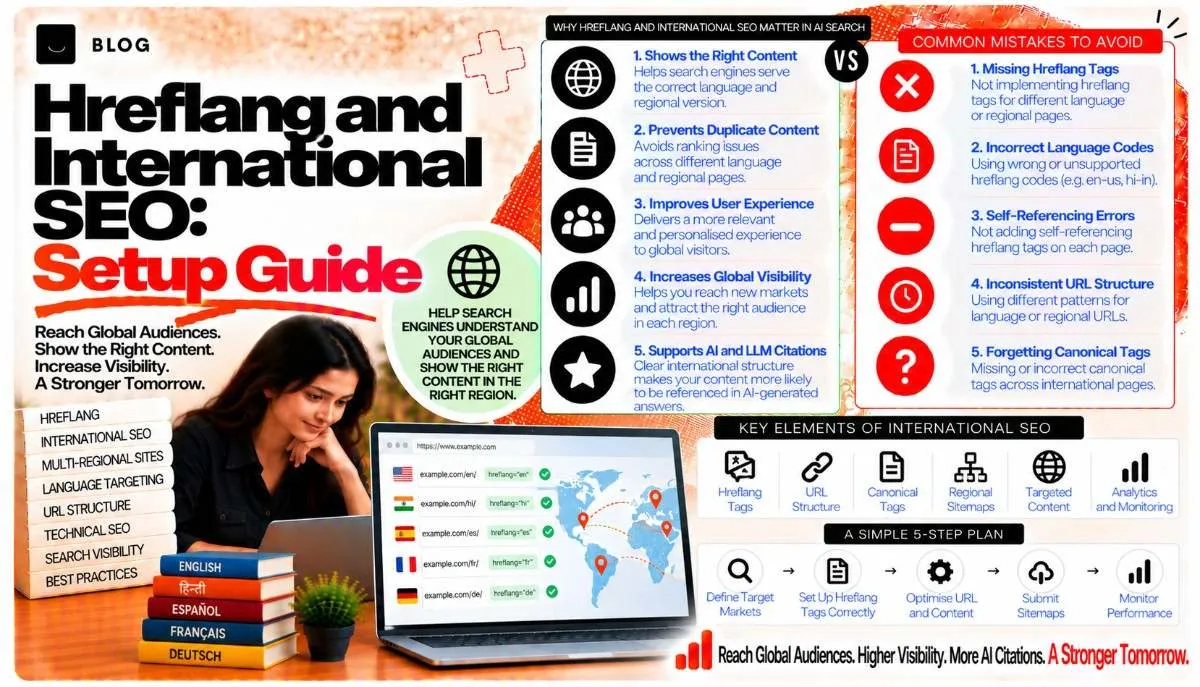
Hreflang and International SEO: Setup Guide
A business that sells in India and the UK often publishes the same service in two places: an Indian rupee price for Bhopal buyers and a sterling version for London. Without clear signals, search engines may show the wrong version to the wrong person. A UK user sees prices in rupees, an Indian user lands on a page with GBP, or two near-identical pages compete with each other in the same results.
Hreflang is the HTML annotation designed to solve this. It tells search engines which language and regional version of a page exists, so they can serve the right one to each searcher. It is widely misunderstood, and small errors can make it stop working without any warning. The tags must be reciprocal, the codes must be valid, and every version must agree with the others.
This guide covers how hreflang works, how to write it correctly, how to implement it, and how to find the errors that break it.
What hreflang does and does not do
Hreflang is a hint about which version of a page to show. It helps search engines choose the correct URL for a user's language and region. It does not translate content, and it does not by itself boost rankings in one country over another.
Three points matter:
- It is a selection signal, not a guarantee. Google may choose a different version if the signals conflict.
- It works between alternate URLs with the same or similar content. Pages that are not equivalent should not be linked with hreflang.
- Geotargeting is separate. Google Search Console geotargeting applies to country-specific domains or subdirectories, not to individual pages inside a single site.
Check Google's current hreflang documentation before implementing, because the supported formats and recommendations are updated from time to time.
Choose a URL structure first
Before writing any tags, decide how markets will be separated. There are three common patterns:
- Country-code domains, such as example.in and example.co.uk. These give the strongest country signal but require separate domain authority and separate hosting or configuration.
- Subdirectories, such as example.com/in/ and example.com/uk/. These consolidate authority under one domain and are the most common choice for service businesses.
- Subdomains, such as in.example.com. These sit between the two and are less common for this purpose.
For most businesses serving two or three markets, subdirectories are the practical starting point. The choice affects everything that follows, so decide before building. Changing structure later is a migration, which the website migration post covers.
Step 1: Map the equivalent pages
Hreflang only works when pages are equivalent in purpose. Build a simple map with one row per page and one column per market.
| Page type | en-IN URL | en-GB URL |
|---|---|---|
| Homepage | /in/ | /uk/ |
| SEO service | /in/seo-services/ | /uk/seo-services/ |
| Pricing | /in/pricing/ | /uk/pricing/ |
Check that each pair is a genuine translation or regional adaptation. Where a page exists in one market but not another, do not invent a tag. A missing version is better than a misleading one.
Be honest about differences. A UK page that describes a service the Indian market does not offer should not be linked as an equivalent of an Indian page that covers a different offering.
Step 2: Use correct language and region codes
Hreflang values follow a standard format. The language code uses ISO 639-1 (two letters, such as en, hi). The optional region code uses ISO 3166-1 Alpha-2 (two letters, such as IN, GB), written after a hyphen.
Valid examples:
- en-IN for English for users in India
- en-GB for English for users in the United Kingdom
- hi-IN for Hindi for users in India
- x-default for the fallback page
Common mistakes:
- Using en-UK. The correct code for the United Kingdom is GB. UK is not a valid ISO 3166-1 code.
- Using language-only codes when a region matters. Use en alone only when the language is the only distinction, and region-specific codes when pricing, spelling or offers differ.
- Mixing up case or punctuation. Use lowercase for the language and uppercase for the region, with a hyphen.
Step 3: Add reciprocal tags on every version
Each page must reference every other version, and each version must reference itself. This is the most important rule. If page A points to page B, page B must point back to page A. Missing return links are the most common reason hreflang fails.
Example for an Indian-English homepage:
<link rel="alternate" hreflang="en-IN" href="https://example.com/in/" /> <link rel="alternate" hreflang="en-GB" href="https://example.com/uk/" /> <link rel="alternate" hreflang="x-default" href="https://example.com/" />
The UK homepage carries the same three tags, in the same set, with its own URL marked as en-GB. Every page in the group lists the full set, including itself.
Make sure:
- Each URL in the set uses the absolute address, including the protocol.
- Each URL is canonical. A tag pointing to a URL that redirects or is non-canonical causes confusion.
- Each URL returns a 200 status code.
Step 4: Set x-default for the fallback
The x-default value tells search engines which page to show when no other version matches the user's language and region. It is typically a country selector, a global homepage, or the most general version.
Use x-default when you have a global page or selector. Do not point it at a page that is only meant for one market, because users in other markets will land on it. If no suitable fallback exists, it is reasonable to omit it, but the omission should be deliberate.
Step 5: Choose the implementation method
Hreflang can be placed in three locations. Each works, and the choice depends on the site.
In the HTML head. This is the most common method. The tags sit in the <head> of each page. It is easy to inspect and works well for most sites.
In the XML sitemap. Each URL entry lists its alternates. This is useful for large sites where editing many templates is difficult, and it keeps the annotations in one place.
In HTTP headers. This is mainly for non-HTML files, such as PDFs. It is rarely needed for standard web pages.
Pick one primary method and stay consistent. Mixing methods across the same site increases the risk of conflicting signals.
Step 6: Keep the content and the signals aligned
Hreflang cannot fix content that does not match. Several other signals should agree with the tags:
- Language on the page. The lang attribute on the <html> element should match the version, for example lang="en-IN".
- Currency and pricing. An Indian page should show rupees, and a UK page should show pounds, where relevant. Mixed currencies on one page confuse both users and search engines.
- Contact details and addresses. Local phone numbers and addresses should match the market.
- Internal links. Navigation on the Indian version should link to Indian pages, not UK ones, except where a deliberate switcher exists.
Also avoid automatic redirects based on IP address. Google's crawlers come from a limited set of locations, and redirecting by IP can stop them from seeing all versions. Offer a visible country selector and let users choose, or redirect only the first visit with an easy way to switch.
Step 7: Test for errors
Once implemented, check for the failures that break hreflang silently.
Missing return tags. A page points to another version that does not point back. Crawl the site with a tool that reports hreflang relationships, and check every pair.
Wrong or invalid codes. Confirm each value uses valid language and region codes.
Non-canonical or redirected targets. Every hreflang URL should be the canonical address that returns a 200 status.
Blocked pages. A version blocked by robots.txt or set to noindex cannot be reliably served, and its return tags may be ignored.
Pages with no equivalent. A tag that points to a page that is not a real equivalent misleads search engines about which version to show.
Search Console reports can help identify indexing issues by market, but they do not show hreflang errors directly in every case. A dedicated crawler and a periodic manual check are the most reliable tests.
Step 8: Monitor which version ranks and clicks
After launch, measure whether the right version appears for the right users. In Search Console, filter performance by country and check which URL receives impressions and clicks from each market.
Look for:
- Indian queries landing on UK pages, or the reverse. This often means missing or incorrect tags.
- Duplicate versions competing for the same query in the same country. This may mean the markets are not sufficiently differentiated.
- Traffic loss in one market after a change. Check the tags and return links first.
Give the signals time. Changes to hreflang can take weeks to be reflected in results, so judge the implementation over a sustained period.
What hreflang cannot do
Hreflang cannot make weak content rank. A UK page with thin content will not rank better because it has the correct tags. It cannot replace genuine local signals, such as local backlinks, reviews and business listings. And it cannot fix a site that serves nearly identical content to every market with no real adaptation. In that case, the better fix is to differentiate the content, not to add more tags.
Common hreflang mistakes to avoid
Missing return links. The most frequent error, and the easiest to miss.
Using the wrong region code. UK should be GB.
Pointing at redirects. Hreflang URLs should be final, canonical addresses.
Mismatched content and tags. A tag for an Indian version pointing to a page in English with UK pricing sends mixed signals.
IP-based forced redirects. These can block search engine crawlers from seeing every version.
Tagging unrelated pages. Only link genuine equivalents.
Frequently asked questions
Not directly. It helps search engines show the correct regional or language version to each user. The benefit is in serving the right page, not in lifting a page above others.
No. Subdirectories or subdomains work well for most businesses. Country-code domains give a stronger country signal but cost more to manage.
It marks the fallback page for users who do not match any listed language and region. It is usually a global homepage or a country selector.
Yes. en-IN and en-GB are common examples. Use them when pricing, spelling, offers or local details differ meaningfully between markets.
The usual cause is a missing return tag, an invalid code, or a target URL that redirects. Check reciprocity first, then codes, then target status.
Usually not. If you serve one market, a single site with a clear language and location signals is sufficient. Hreflang becomes useful when you serve more than one language or region with genuinely different versions.
Ready to build what's next?
Tell us where you're headed. We'll come back with a plan to get there.
Book an intro call