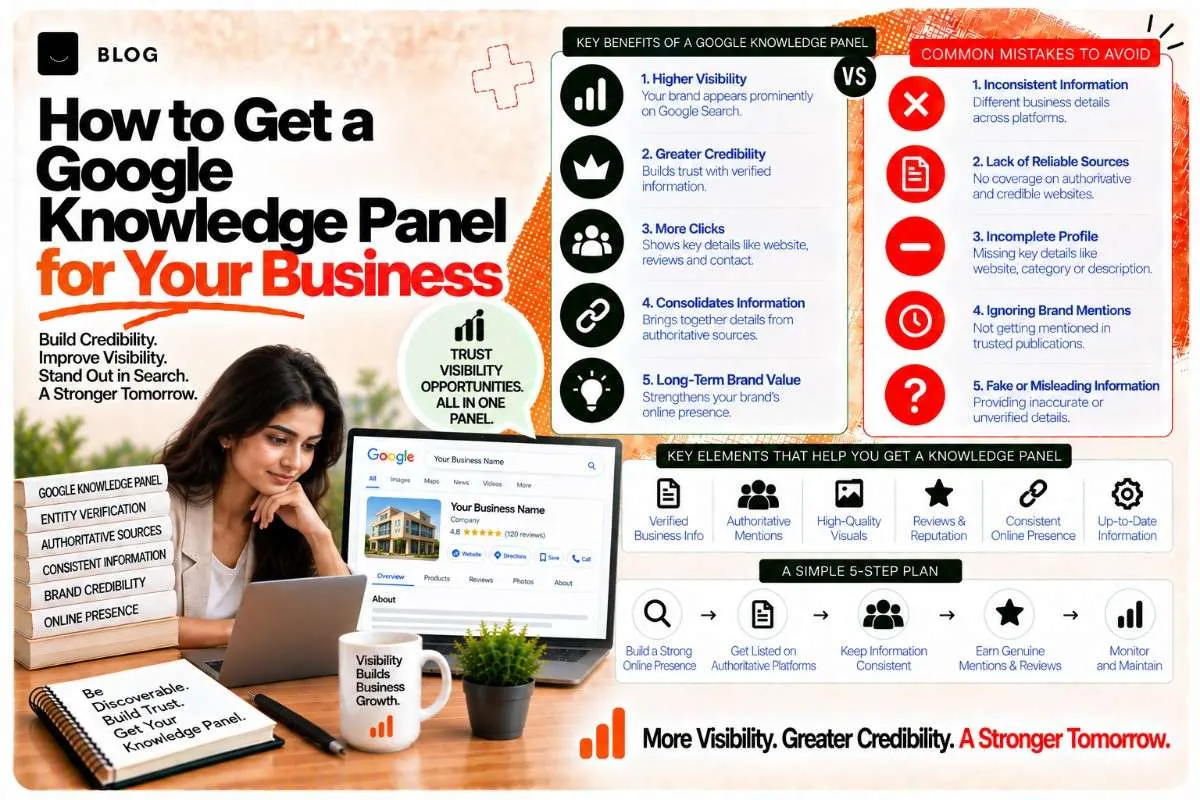
How to Get a Google Knowledge Panel for Your Business
A Google Knowledge Panel is that box on the right side of a search result that shows a company's or person's photo, a one-line summary, key facts (hours, phone, location, website), and social links. It looks official. It is official — and for a business, it's one of the highest-credibility positions you can occupy in Google Search.
Getting one isn't automatic. It's not something you can request directly from Google. But it is something you can systematically earn by making sure Google has authoritative, consistent information about who you are.
This guide covers the exact steps: how Google decides who gets a Knowledge Panel, how to ensure yours appears, how to claim and edit it if it already exists, and what to do if Google has outdated or incorrect information.
How Google decides whether to create a Knowledge Panel for a business
Google doesn't create a Knowledge Panel for every business. The pattern they follow is:
- You need to be a recognized entity — Google uses a combination of structured data (schema markup on your website), external mentions (news, directories, reviews, Wikipedia, social platforms), and consistency of information across the web to decide whether something is a distinct, real entity worth showing information about.
- Your information needs to be consistent — If your business is called "ABC Marketing Pvt Ltd" on your website, "ABC Marketing" on Google Business Profile, and "The ABC Marketing Company" on LinkedIn, Google sees three different entities instead of one. Consistency is the signal that you're a single, coherent entity.
- You need corroboration from multiple sources — A Knowledge Panel is strongest when Google finds the same information (name, address, phone, description) repeated across your website, Google Business Profile, LinkedIn, industry directories, and third-party review sites. The more consistent sources, the more confident Google is that your entity is real.
- Your entity needs to be notable or searchable — Google doesn't create Knowledge Panels for every local business, but they do for businesses that have achieved some level of prominence: notable press mentions, strong review volume, a clear professional presence across multiple platforms, or services that people actively search for.
Step 1: Ensure your NAP is identical everywhere
NAP stands for Name, Address, Phone. This is the foundation.
Audit every place your business information appears:
- Your website (header, footer, contact page, schema markup)
- Google Business Profile
- LinkedIn (company page)
- Facebook and other social platforms
- Industry-specific directories (JustDial, Practo, etc.)
- Review sites (Google Reviews, Trustpilot, etc.)
- Local business directories
Write down what you find. If "Crescent Digital Solutions, Bhopal, +91-755-123-4567" appears as "Crescent Digtial Solutions" or "Crescent Digital" or with a different phone format somewhere, fix it.
Critical detail: Use the exact legal name of your business, spelled consistently everywhere. Use a standardized address format (include pin code for India). Use a single phone number format (e.g., +91-755-123-4567 or 07551234567, not both).
Step 2: Add entity schema markup to your website
Google's crawler learns who you are partly from reading your website's structured data. At minimum, your home page should include an Organization schema with your business details.
Here's a worked example:
{ "@context": "https://schema.org", "@type": "Organization", "name": "Crescent Digital Solutions", "alternateName": ["Crescent Digital", "Crescent"], "description": "Digital marketing agency in Bhopal offering SEO, AEO, GEO, web development, and performance marketing.", "url": "https://wecrescent.com", "logo": "https://wecrescent.com/logo.png", "sameAs": [ "https://www.facebook.com/crescentdigital", "https://www.linkedin.com/company/crescent-digital", "https://twitter.com/crescentdigital", "https://www.instagram.com/crescentdigital" ], "address": { "@type": "PostalAddress", "streetAddress": "123 Main Street", "addressLocality": "Bhopal", "addressRegion": "Madhya Pradesh", "postalCode": "462001", "addressCountry": "IN" }, "telephone": "+91-7551234567", "email": "hello@wecrescent.com", "foundingDate": "2015", "founder": { "@type": "Person", "name": "Founder Name", "url": "https://www.linkedin.com/in/foundername" } }
Key fields:
- name — your legal business name
- alternateName — common nicknames or shortened versions people use
- sameAs — links to your verified social profiles and profiles on major platforms
- address — full postal address
- telephone — single, consistent phone number
- description — one-line summary of what you do
Add this schema to the <head> of your home page. Use Google's Rich Results Test to verify the markup parses correctly.
Step 3: Claim or verify your Google Business Profile
If you don't have a Google Business Profile (GBP), create one. If you do, ensure it's complete and claimed by you (or your team).
In your GBP, fill out:
- Exact business name (matching your website)
- Address and pin code
- Phone number
- Website URL
- Business category (select the most specific match)
- Hours of operation
- A professional business description (150–250 characters)
- High-quality photos (logo, team, office, work samples)
- Service areas (if you're multi-location)
This is where Google sources much of the information for your Knowledge Panel. Completeness and accuracy here matter directly.
Step 4: Build external corroboration
Google weights consistency across multiple authoritative sources. Claim or create profiles on:
Must-have:
- LinkedIn (company page)
- Facebook (business page)
- Your industry's primary directory (JustDial for India, Practo for healthcare, etc.)
- Your domain's Wikipedia page (if appropriate; only for notable businesses)
Nice-to-have but helpful:
- Twitter/X (business account)
- Instagram (business account)
- Clutch (if you're an agency)
- AngelList or Crunchbase (if you're a startup)
- Industry associations or certifications that list you
On each platform, use the exact same business name, address, and phone number. Link back to your main website where the platform allows.
Step 5: Understand the Knowledge Panel request workflow
Google doesn't have a "Request Knowledge Panel" button. Knowledge Panels appear based on their algorithm. However, if a Knowledge Panel for your business already exists but shows incorrect information, you can request edits.
If no Knowledge Panel exists yet
There's no direct action to speed this up. The best practice is completing steps 1–4 above and then waiting. Google's systems will index your consistent information and may create a panel over weeks or months. Businesses with press coverage, strong review volume, or high search volume may see panels appear faster.
If a Knowledge Panel exists but needs edits
- Search for your business name on Google (the exact name).
- Look for the Knowledge Panel on the right side of results.
- Scroll to the bottom of the panel and click "Suggest an edit" (or the feedback icon).
- Edit the information (name, description, phone, address, photo, etc.).
- Google reviews your edit; if approved, it updates within days.
If a Knowledge Panel exists but shows a different entity
For example, Google conflates your business with another company or person with the same name. Use "Suggest an edit" to request a correction, or contact Google Search Central for help with disambiguation.
Step 6: Maintain and monitor
Once your Knowledge Panel appears:
- Monitor for accuracy — every few weeks, search your business name and check what Google is showing. If information gets outdated, fix it in your GBP and, if needed, suggest an edit to the Knowledge Panel directly.
- Keep schema updated — if your phone number, address, or description changes, update your Organization schema on your home page immediately.
- Link consistently — ensure all platforms (website, GBP, social, directories) point to each other and stay in sync.
- Build more corroboration — press mentions, industry awards, notable client work, and citations in relevant articles all strengthen your Knowledge Panel and make it less likely to disappear or show wrong information.
What NOT to do (common mistakes)
Don't use inconsistent business names. If you're "ABC Marketing Pvt Ltd" legally, don't also use "ABC Marketing Inc" or "The ABC Group" on social media. Pick one name and stick to it everywhere.
Don't ignore your GBP. A stale, incomplete GBP makes it harder for Google to build a Knowledge Panel, and if one exists, it will show outdated information.
Don't use AI-generated descriptions. Write a real, human description of what you do in 1–2 sentences. Google's reviewers are checking for authenticity.
Don't confuse Knowledge Panels with other Google features. A Knowledge Panel is different from a Local Pack (the map snippet), featured snippets (single-result answers), or People Also Ask. Each has different requirements.
Don't expect a Knowledge Panel to appear overnight. This is a months-long process, not a days-long one. Start now; expect results in 2–3 months of consistent, accurate information across all platforms.
Troubleshooting: why your Knowledge Panel might not exist
Your business is too new. Startups under 6 months old rarely have Knowledge Panels. Keep building corroboration; it will come.
Your information is inconsistent. This is the most common issue. Audit all your profiles and get the name, address, and phone identical. Then wait 2–4 weeks for Google to re-index.
Your business is local, but not widely searched. A small, very local business might not meet Google's notability threshold. Strong local press coverage or industry recognition can help.
Your niche is competitive. Businesses in highly competitive sectors (marketing agencies, law firms, medical practices) may need more corroboration to earn a panel. Build more external mentions: press, awards, speaking engagements, directory listings.
You're being confused with another entity. If Google conflates you with a different business, use the "Suggest an edit" feature to clarify, or contact Google Search Central support.
Frequently asked questions
No. A Knowledge Panel is a visual bonus that increases click-through and builds trust, but ranking in search results doesn't require one. Many businesses rank well without a Knowledge Panel.
Usually 2–3 months after ensuring NAP consistency and schema markup across all platforms, though it can take longer depending on how notable your business is and how many external sources mention you.
No, but you can use "Suggest an edit" if one already exists. If one doesn't exist, the only approach is ensuring your entity information is consistent and authoritative everywhere.
Indirectly. A strong Knowledge Panel signals to AI systems that you're a real, notable entity. It's one part of the larger entity-clarity picture covered in our Entity SEO Playbook.
Click "Suggest an edit" on the panel, make the correction, and submit. Google reviews edits within 1–3 days.
Partially. Google sources information from your GBP, schema markup, and external sources. You can influence what appears by ensuring all these sources are accurate, but Google's algorithm makes the final call on what's shown.
Ready to build what's next?
Tell us where you're headed. We'll come back with a plan to get there.
Book an intro call