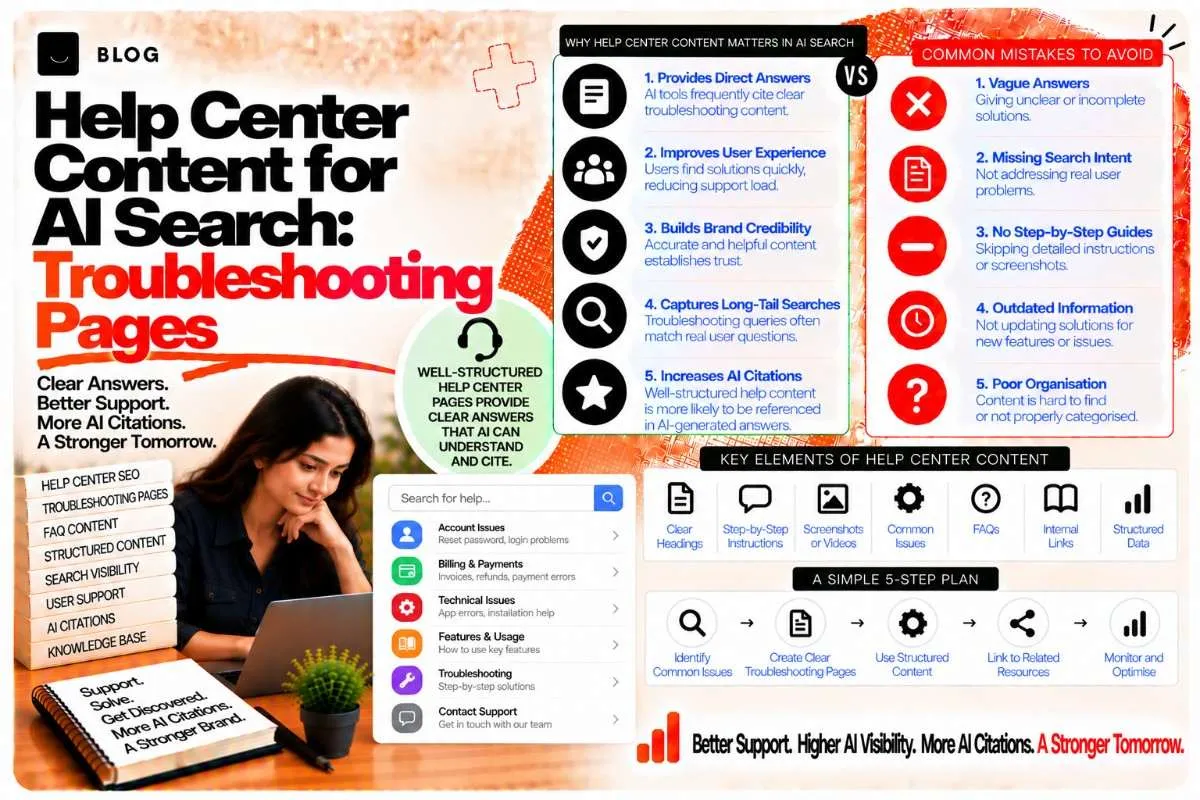
Help Center Content for AI Search: Troubleshooting Pages
A large share of online questions are not "what is" questions or "which is best" questions. They are problems: the login fails, the invoice is wrong, the setting is missing, the appointment cannot be rescheduled. People search for those problems in exactly the words they would use to ask a friend, and increasingly they ask an AI system directly.
Most businesses treat their help center as a cost centre. It exists to reduce support tickets, and it is written in a rush, organised by internal product names, and rarely updated. That is a missed opportunity. Well-built support content answers the exact questions that buyers and existing customers ask, and it is among the most practical sources an AI system can cite when someone asks how to solve a problem.
This guide covers how to build help center and troubleshooting content that search engines and AI systems can find, understand, and quote.
Why support content gets cited
AI systems are often asked procedural questions: how to do something, why something failed, what the correct steps are. Support content is written to answer exactly those questions, which makes it a natural source when it is accessible and clearly structured.
Three things make support content citable:
- Specific problem statements. The article names the error, the symptom, or the task in the words users actually use.
- Ordered, verifiable steps. The article gives the sequence to follow and the expected result of each step.
- Stable, current instructions. The article reflects the current product or process and shows when it was last checked.
Support content is also less likely to be covered by competitors, because many businesses keep it locked behind login pages or hidden inside their apps. A public, well-indexed help center is a real advantage.
Step 1: Start from the questions customers actually ask
Build your article list from real demand, not from your product map. The most useful sources are:
- Support tickets and chat transcripts. Group them by issue and count how often each appears.
- Sales and onboarding notes. Note questions that prospects ask before buying, and the points where new customers get stuck.
- Search Console queries for your product or service names combined with words such as "error," "not working," "how to," or "setup."
- Community forums and reviews. Look for recurring complaints and questions that you can answer clearly.
Rank the issues by frequency and by how much damage each one causes. An issue that stops a customer from paying is more important than one that affects a rarely used setting.
Step 2: Write each article around one problem
A common mistake is to write a general article that covers five related issues. Search and AI systems find it harder to match such an article to a specific question, and the user has to scan for the part that applies to them.
One article should answer one problem, stated in the user's terms. Compare these two titles:
- Weak: "Account Settings Overview"
- Stronger: "Why Your Account Shows 'Access Denied' After Changing Your Password"
The second title names the symptom and the trigger. It matches the question a user would type, and it makes it clear within a few words whether the article applies.
Step 3: Lead with the answer, then the steps
The first two or three sentences of a troubleshooting article should state what the problem usually is and what fixes it. Users and AI systems extract that summary first.
A structure that works:
- The problem in one sentence, in the user's words.
- The most common cause, stated plainly.
- The fix in one or two sentences, so a reader who only needs the answer has it immediately.
- Step-by-step instructions, each with the expected result.
- If that did not work, a short list of other causes and their fixes.
- When to contact support, with the information support will need.
Steps should be numbered and short. Each step should describe one action and one visible outcome. "Open Settings, select Security, and confirm that Two-Factor Authentication shows as enabled" is clearer than a paragraph.
Include screenshots or diagrams where they help, with descriptive alt text that names the screen and the element shown.
Step 4: Mark up steps accurately, and understand the limits
Schema markup can describe steps, and the HowTo type on schema.org is designed for them. Be aware that Google stopped displaying HowTo rich results in search in 2023, so the markup should be treated as a way to describe the structure accurately, not as a guaranteed visual feature in search.
If you use the markup, the properties include the name, the steps with positions, and the estimated time where it applies. Keep the steps identical to those on the page.
{ "@context": "https://schema.org", "@type": "HowTo", "name": "How to Restore Access After Changing Your Password", "step": [ { "@type": "HowToStep", "position": 1, "name": "Sign out of every device", "text": "Sign out of all active sessions from the Security page, then sign in again with your new password." }, { "@type": "HowToStep", "position": 2, "name": "Clear saved credentials", "text": "Remove the old password from your browser or password manager so it stops being sent automatically." }, { "@type": "HowToStep", "position": 3, "name": "Confirm access", "text": "Open the dashboard. If you still see Access Denied, contact support with the time of the error." } ] }
Validate the markup, and confirm the steps match the visible page exactly.
Step 5: Keep the content current
Support content goes stale faster than almost any other kind. A screen changes, a menu moves, a feature is renamed, and the article now sends users to a page that no longer exists. Stale instructions damage trust and increase support load.
Build a maintenance routine:
- Tie articles to product releases. When a feature changes, the related articles are on the review list before release.
- Show the last-reviewed date on each article, and review high-traffic articles at least quarterly.
- Track feedback. A "was this helpful?" control, read regularly, shows which articles fail.
- Retire articles for features that no longer exist, redirecting them to the current equivalent where one exists.
The freshness signals covered in the content freshness post apply here. A visibly reviewed article is more trustworthy than one that appears abandoned.
Step 6: Connect support content to the rest of the site
Help content should not sit in isolation. Link troubleshooting articles to the product pages, service pages, and explanatory content they relate to, and link back from those pages to the help center where a product issue is common.
Good linking practice:
- Link from the relevant product or service page to the most common support article for that product.
- Link from troubleshooting articles to the broader explainer that describes the feature in more depth.
- Keep the help center navigable by topic, with a clear category structure, so both users and crawlers understand how the articles relate.
Avoid hiding help content behind login walls or in a separate domain without a clear link from your main site, unless there is a specific security reason to do so.
Step 7: Measure what matters
Track the outcomes that show whether support content is working:
- Search impressions and clicks for problem-based queries in Search Console.
- Ticket volume for the issues each article covers. A well-built article should reduce tickets for that issue over time.
- Helpfulness ratings and feedback comments.
- Time to resolution for issues where the article is linked from the support flow.
- AI citation checks, asking AI systems the troubleshooting questions your articles cover and noting whether your help content is among the sources.
Connect these measures to the business. A help article that reduces repeat tickets for a common issue is delivering value even if its search traffic is modest.
What support content cannot fix
Help content cannot compensate for a broken product. If an error occurs because the software is faulty, the article should explain the workaround honestly and the business should fix the underlying bug. Articles that hide a known defect erode trust quickly.
It also cannot replace clear product design. The best support article is sometimes a redesign of the screen it describes, which removes the need for the article altogether.
Common support content mistakes to avoid
Writing from the internal product map. Customers do not search by internal feature names. Use the words they use.
Covering several problems in one article. Split them, so each article answers one question.
Burying the answer. Put the fix near the top, then the steps.
Letting articles go stale. Outdated steps are worse than none, because they send users confidently in the wrong direction.
Hiding everything behind a login. Public troubleshooting content can be found and cited. Gated content cannot.
Ignoring feedback. Helpfulness ratings and support tickets show exactly which articles are failing. Read them.
Frequently asked questions
It can, particularly for specific problem queries where a clear, current article is among the best answers. Competition varies, and a help center is not a guaranteed traffic source.
Either can work. What matters is that the content is public, well linked, and clearly connected to your main site. Many businesses use a subfolder for simplicity and crawlability, and the choice should consider how the content is maintained.
As many as your customers need, and no more. Start with the twenty most frequent issues from your support data, and expand from there based on demand.
It can. AI systems are often asked how to do something or why something failed, and well-structured, current support content answers exactly that. Accuracy and clear structure matter more than volume.
You can use them to draft, but every step must be checked against the live product. Incorrect steps in support content are a serious problem, and the person responsible for accuracy should test each procedure.
Keep it if it resolves a real problem that is costly for those customers to face, and link it from the place where they encounter the issue. Retire it if the feature is gone or nobody needs it.
Ready to build what's next?
Tell us where you're headed. We'll come back with a plan to get there.
Book an intro call