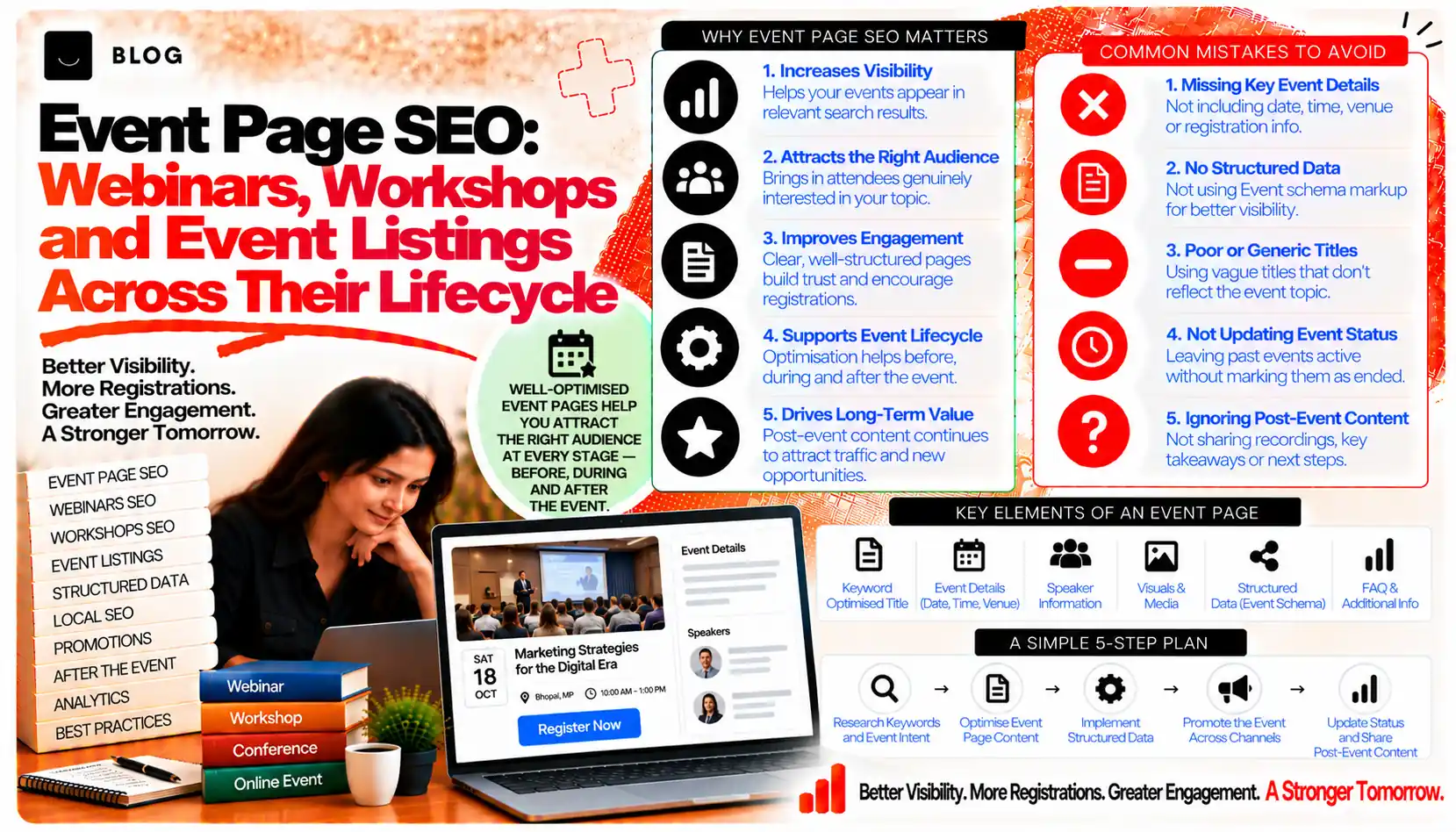
Event Page SEO: Webinars, Workshops and Event Listings Across Their Lifecycle
An event page has an unusually short working life. It may be searched for weeks before the event, shared heavily in the final days, and then become a record of something that has already happened. Most event pages are built for the registration window and then left to decay. Their dates pass, their calls to action stop working, and their search value quietly disappears, or they linger as dead pages that confuse both visitors and search engines.
Good event SEO treats the page as a lifecycle, not a single publication. Before the event, the page needs to rank and convert. During registration, it needs to make the decision to attend easy. After the event, it needs a deliberate plan: keep its value, redirect it to a stronger home, or archive it with a clear purpose. Each stage asks for different work.
This guide covers each stage, the content that serves it, and the decisions for expired events.
What event SEO can and cannot do
Event pages can capture searches from people looking for a specific webinar, workshop or conference, and from people searching for a topic your events cover. They can also bring sign-ups from search and build a library of recorded or summarised content that keeps earning visits after the live event.
They cannot create demand for an event nobody wants to attend, and they cannot make a weak speaker or an unclear offer convert. A well-optimised page for a poorly targeted event will rank and then fail at the registration step.
Stage 1: Before the event, build a page that can rank
Pre-event pages need to answer the questions people search for: what the event is, who it is for, when and where it takes place, what it costs, and what they will learn. These are the factors that decide whether a searcher clicks through.
A strong pre-event page includes:
- A title and H1 that name the event and its topic, in plain language. A title such as "Google Search Console Workshop for Small Business Owners, 14 November" gives the searcher the key facts.
- A clear summary near the top, with the date, time zone, format, price and location or platform.
- Agenda and outcomes, written as specific things the attendee will learn or be able to do.
- Speaker information that establishes credibility, with real names, roles and a link to their work. The author expertise post covers the principles of visible expertise.
- Audience description, stating who should attend and who should not. This filters out poor-fit registrations and builds trust.
- Registration path that is short, clear and works on a phone.
Pre-event pages should be indexable from the moment they are published. Set a sensible publish date, and link the page from relevant pages on the site, so it is discovered before the event.
Stage 2: During registration, remove friction
Once a searcher lands on the page, the job shifts from ranking to converting. Search and conversion are linked here, because a page that ranks but does not convert wastes the visibility it earned.
Check that:
- The registration call to action is visible without scrolling on mobile, and it is repeated further down the page.
- The form asks only for what is needed to hold the seat and send joining details.
- Price, refund terms and time zone are stated clearly, before the form.
- Confirmation and reminder emails are set up, so attendees know what happens next.
- The page loads quickly. The Core Web Vitals post covers how to check this on event templates, which often rely on heavy third-party embeds.
Avoid hiding essential facts behind the form. Searchers who cannot find the time or price tend to leave, and that behaviour is visible in engagement data.
Stage 3: After the event, decide what the page becomes
This is where most event pages go wrong. The event has ended, and the page is either left unchanged or quietly deleted. Both choices waste value. The better approach is to decide, for each event, which of four outcomes applies.
Keep the page as a recording or summary hub. If the event produced a recording, slides, a transcript or a written summary, the page can become a lasting resource. Update its title and H1 to reflect that it is now a resource, such as "Recording and Summary: Google Search Console Workshop", and add the new content. Clearly mark that the live event has passed, and offer the next event date.
Redirect to the series or the next occurrence. For recurring events, a stable URL for the series is usually stronger than a page for each date. Redirect the expired event page to the series page, or to the next scheduled occurrence, where the topic is the same.
Consolidate with related content. Where the event is one of many on similar themes, merge the useful content into a stronger topic page, and redirect the old event URL to it.
Archive or remove the page. Where the event had no lasting value, no links and no traffic, a 404 or 410 is a legitimate response. Check the page's backlinks and search history first, so that any value is redirected rather than lost.
The content pruning post covers the decision logic for removing or merging pages, which applies directly here.
Avoid the expired event trap
The most common mistake is leaving an event page live with its original call to action, a registration button for a date that has passed, and no explanation. Visitors arrive, cannot register, and leave. Search engines see the same pattern.
If you keep an expired page for any reason, replace the registration call to action with a clear message about the event's status, a link to the recording or next event, and a way to join a list for future dates.
Structured data for events
Event markup can help search engines understand the date, location and status of an event. Use it only for information that is accurate and visible on the page, and keep it updated. Remove or revise it when the event passes or is cancelled, since out-of-date markup can mislead.
Check the current Google guidance on event rich results before relying on them, since the display of these features changes over time. Markup supports the page's clarity but does not guarantee a special result.
Timing and planning
Event pages need the same lead time as other seasonal content. Publish early enough for the page to be discovered and indexed, and promote it through email, social and partner channels as well as search. The seasonal content planning post covers how to time publication around demand cycles, which applies to conference and workshop calendars as well.
Plan the lifecycle when you create the event, not after it has ended. Decide in advance what will happen to the page, and assign an owner.
What event page work cannot do
It cannot make a poor event successful or guarantee attendance. It cannot replace promotion, speaker reputation or a clear reason to attend. And it cannot preserve the value of an event that was never recorded or summarised. Where the event leaves no lasting asset, the post-event page will be short, and that is acceptable.
Common event page mistakes to avoid
Hiding the date, time or price. Searchers leave when they cannot find basic facts.
Leaving expired registration buttons live. It frustrates visitors and signals a stale page.
Deleting event pages without checking links. Lost pages lose their value and their links.
Creating a new page for each occurrence of a recurring event. This splits the value across near-duplicate pages.
Marking up events inaccurately. Out-of-date or hidden information in markup misleads search engines and can breach guidelines.
Ignoring mobile registration. Many attendees register on phones, so the form must work there.
Frequently asked questions
Usually yes, if the event produced a recording, summary or useful resource. Mark the page clearly as past, and offer the next date. If the event left no lasting value, redirect or remove it.
Use a stable series page as the main URL, and redirect expired occurrence pages to it. Keep the series page updated with the next date and the latest recording.
Early enough for the page to be discovered and indexed, and for promotion to build interest. For most events, several weeks ahead is a practical starting point, adjusted to the audience and the event size.
No. Markup helps search engines understand the event, but whether a feature appears is up to them and depends on the page meeting current guidelines.
Yes, if it has been converted into a resource with real content. An expired page with a dead registration form rarely ranks for long.
Yes. Agencies, consultancies, clinics, schools and wedding or event companies often run workshops, open days or webinars that create valuable search demand and lasting content.
Ready to build what's next?
Tell us where you're headed. We'll come back with a plan to get there.
Book an intro call