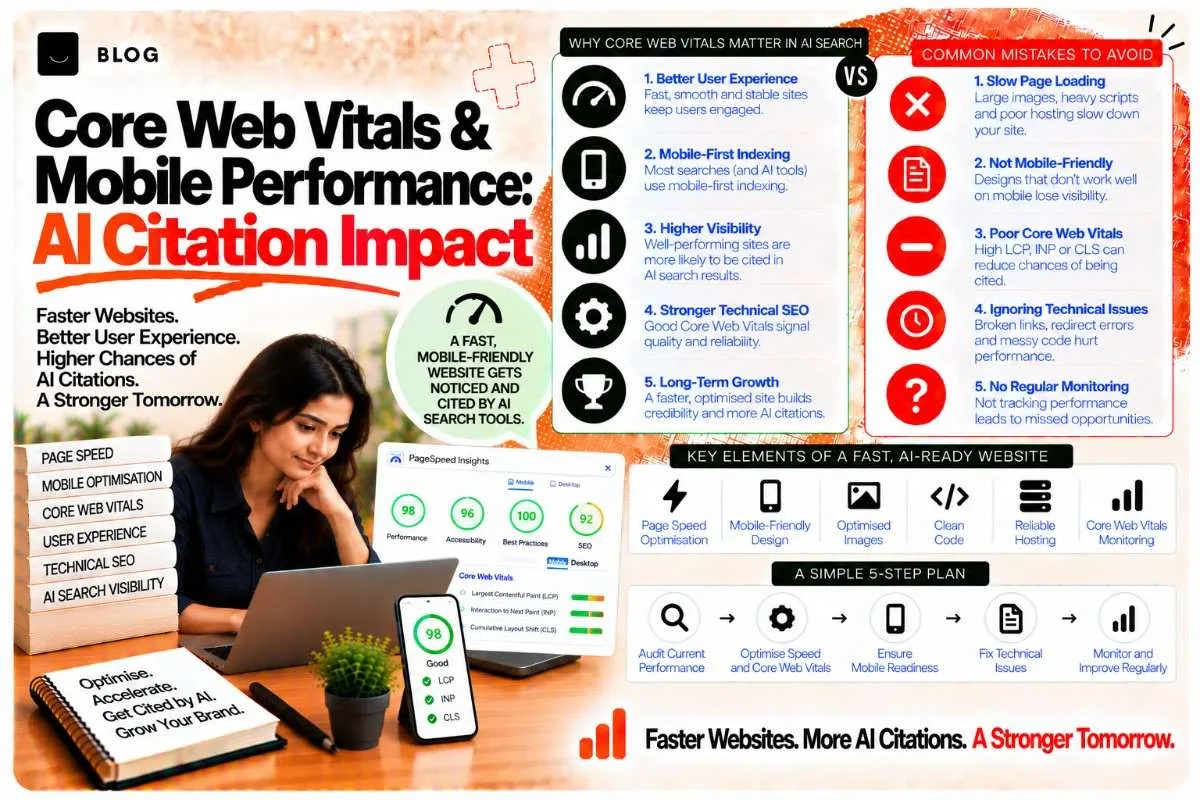
Core Web Vitals & Mobile Performance: AI Citation Impact
You probably know that page speed matters for Google ranking. But for AI systems, speed and mobile performance matter even more.
Here's why: AI systems (ChatGPT, Perplexity, Google's AI) don't just read your content. They crawl your site, understand its structure, and evaluate how accessible it is. A slow, poorly optimized site signals to AI systems: "This content is hard to access. The creator doesn't care about user experience."
A fast, well-optimized site signals: "This content is accessible and reliable. This creator respects the user."
Core Web Vitals — Google's measure of page speed and user experience — have become a direct signal for AI citation and visibility.
What are Core Web Vitals and why AI systems care
Core Web Vitals are three metrics Google uses to measure page performance and user experience:
1. Largest Contentful Paint (LCP)
What: How long until the largest content element (image, heading, block of text) loads
Target: Under 2.5 seconds
Why it matters for AI: If your page takes 5+ seconds to load, AI systems crawl slowly and less thoroughly. They prioritize fast-loading pages as more accessible.
2. First Input Delay (FID) / Interaction to Next Paint (INP)
What: How responsive your page is when users interact with it (clicking buttons, scrolling, typing)
Target: FID under 100ms; INP under 200ms
Why it matters for AI: Unresponsive pages signal poor experience. AI systems note this when evaluating content quality.
3. Cumulative Layout Shift (CLS)
What: How much content shifts position after it loads (unexpected layout changes)
Target: Under 0.1
Why it matters for AI: Unexpected layout shifts indicate poor design and development. Stable, well-designed pages rank higher with both Google and AI systems.
Collectively, these metrics tell AI systems: "Is this page accessible, stable, and respectable?"
Pages that fail Core Web Vitals signal low quality to AI systems, regardless of content quality.
How mobile performance affects AI citation
Most AI system crawling happens on mobile. ChatGPT, Perplexity, and Google's AI crawl primarily on mobile devices or mobile-optimized rendering.
If your site performs poorly on mobile:
- AI systems crawl slowly (if they can crawl at all)
- They access incomplete content (slow loading times cut off content)
- They see poor user experience signals and deprioritize citation
If your site performs well on mobile:
- AI systems crawl quickly and completely
- They access your full content
- They see strong user experience signals and prioritize citation
A site that loads in 1 second on mobile might be cited for 10 queries. The same site that loads in 5 seconds might be cited for 2 queries.
Optimizing Core Web Vitals for AI systems
1. Improve LCP (Largest Contentful Paint)
LCP measures how quickly your main content loads. Target: under 2.5 seconds.
Quick wins:
- Optimize images — compress, use modern formats (WebP), lazy-load below-the-fold images
- Use a CDN — distribute content globally so it loads from servers near users
- Reduce server response time — optimize database queries, use caching
- Minimize render-blocking resources — move non-critical CSS/JavaScript to async loading
- Upgrade hosting — shared hosting is slower; dedicated or cloud hosting is faster
Best practice for blog content:
- Hero image (if present) should load first and be heavily optimized
- Text content (H1, first paragraph) should render immediately, before images
- Use lazy-loading for images below the fold
2. Improve FID / INP (Interactivity)
FID measures how quickly your page responds to user interactions.
Quick wins:
- Reduce JavaScript — large JS bundles slow down interaction response
- Defer non-critical JavaScript — load only what's needed for the page to be interactive
- Optimize event handlers — ensure click handlers respond instantly
- Avoid long tasks — break up heavy computations into smaller chunks
Best practice for blog content:
- Forms and CTAs should respond instantly to clicks
- Navigation and menu interactions should be snappy
- Comment sections should be interactive without lag
3. Improve CLS (Layout Stability)
CLS measures unexpected layout shifts after content loads.
Quick wins:
- Reserve space for images — use width/height attributes so images don't shift layout
- Avoid injecting content dynamically — ads and popups that appear after load cause shifts
- Use stable fonts — avoid web font swaps that cause text to reflow
- Don't place CTAs/buttons near interactive elements — prevent accidental clicks
Best practice for blog content:
- Images should reserve space before loading
- Ads (if any) should be in fixed positions, not cause shifts
- CTAs should be placed stably and not move as content loads
Testing your Core Web Vitals
Google PageSpeed Insights
Free tool: https://pagespeed.web.dev
What it shows: Real user data (CrUX) + lab data
How to use: Enter your page URL, get a score (0–100), and specific recommendations
Google Search Console
What it shows: CWV data across your entire site
How to use: Go to "Experience > Core Web Vitals" to see which pages need improvement
WebVitals Chrome Extension
Free tool: Install from Chrome Web Store
What it shows: Real-time CWV measurements as you browse your site
Mobile optimization best practices for AI
Beyond Core Web Vitals, mobile optimization includes:
Responsive design
- Your site should work on phones, tablets, and desktops
- Test at 320px width (small phones) up to 1200px+ (desktops)
Mobile-first indexing
- Google and AI systems primarily crawl the mobile version of your site
- Ensure mobile version has all content and features of the desktop version
Touch-friendly interfaces
- Buttons, links, and interactive elements should be touch-friendly (48px+ minimum)
- Avoid hover-only interactions (no hover menus on mobile)
Font sizing
- Text should be readable without zooming
- Minimum 16px for body text
Viewport configuration
- Include viewport meta tag: <meta name="viewport" content="width=device-width, initial-scale=1">
Core Web Vitals and ranking signals for AI
Google's official stance: Core Web Vitals are ranking factors for Google Search
Implied for AI systems: If they matter for Google, they matter for AI systems evaluating quality
Studies show:
- Pages in the "Good" CWV range get more AI citations
- Pages in the "Needs Improvement" range get fewer citations
- Slow pages (FID >100ms) are cited less often than fast pages
For competitive advantage: If you're competing for citations with other sites on the same topic, and your site is faster, AI systems will cite you more often.
Common Core Web Vitals mistakes to avoid
Don't ignore mobile performance.
Your mobile experience determines AI citation likelihood. If you optimize only for desktop, you lose AI visibility.
Don't prioritize aesthetics over performance.
A beautiful, slow site ranks worse than a simple, fast site. Performance > beauty for SEO and AI.
Don't use too many third-party scripts.
Analytics, ads, trackers, and plugins slow down your site. Keep them minimal.
Don't use autoplaying videos.
Auto-playing videos tank Core Web Vitals. If you need video, let users play it.
Don't use heavy custom fonts.
Web fonts are slow. Limit to 1–2 fonts, and subset them (only load characters you use).
Don't neglect server response time.
Even the best front-end optimization can't fix a slow backend. Ensure your hosting and server are fast.
Frequently asked questions
Pages with good Core Web Vitals signal quality and accessibility to AI systems. These pages are crawled more thoroughly and cited more often than slow pages.
Not alone, but it contributes. All three Core Web Vitals together create a quality signal. Poor LCP is often accompanied by poor FID/INP/CLS.
Both matter. Great content on a slow site might not be cited. Good content on a fast site will be. Prioritize both.
Not for long-term AI visibility. Excellent content on a slow site will eventually be outranked by good content on a fast site.
All three matter, but FID (now INP) is often the easiest to improve and has the most impact. Start there.
Yes. News and time-sensitive content: speed is critical. Educational guides: speed is important but slightly less critical. Blog posts: speed matters significantly.
Ready to build what's next?
Tell us where you're headed. We'll come back with a plan to get there.
Book an intro call