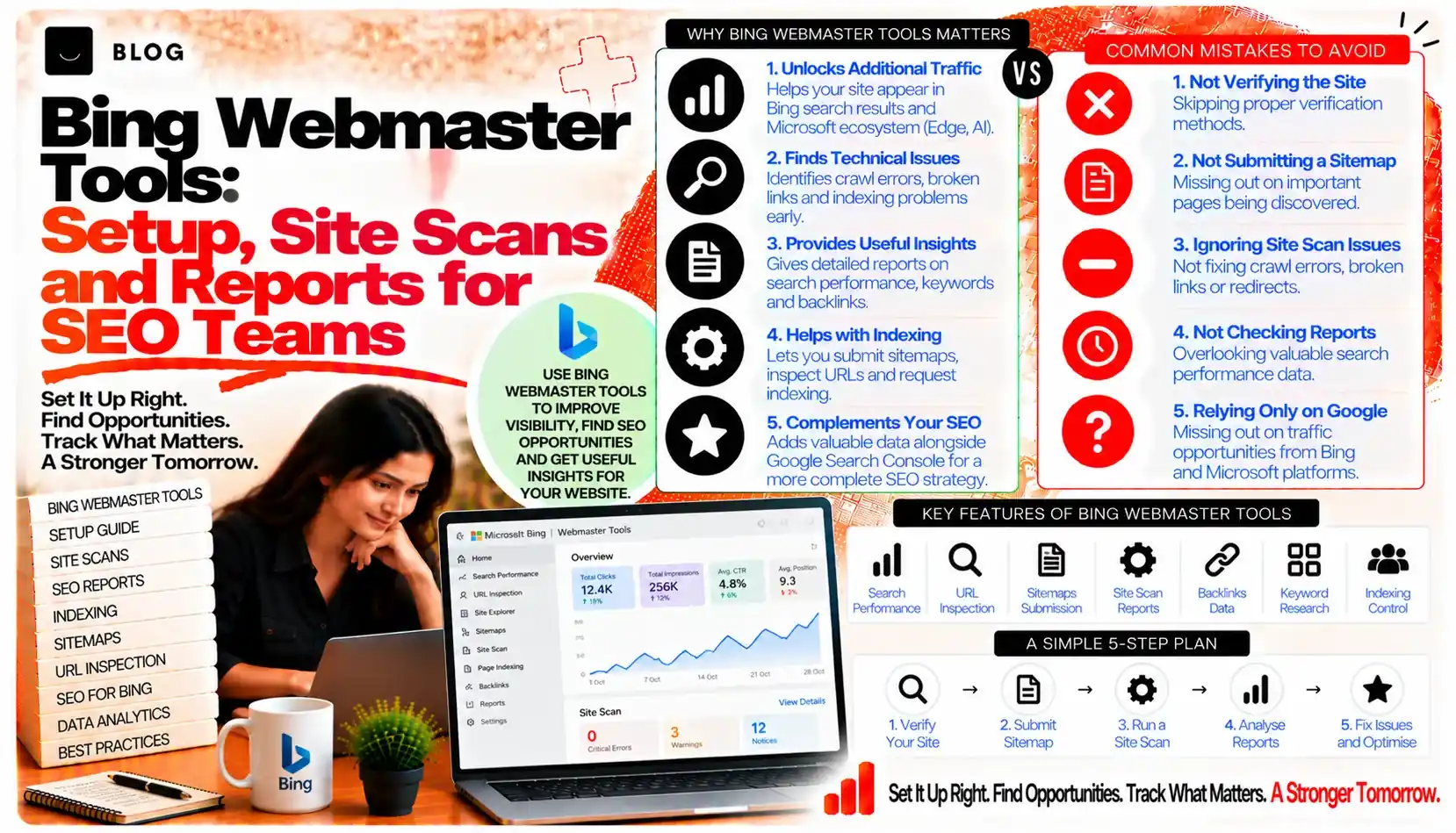
Bing Webmaster Tools: Setup, Site Scans and Reports for SEO Teams
Most SEO work focuses on Google, and reasonably so. But Bing is a separate search engine with its own crawler, index and reports, and it powers results on several other products. A site that is only checked in Google Search Console has a partial view of how search engines see it. Bing Webmaster Tools fills part of that gap, giving teams a second set of crawl data, indexing information and diagnostics that can reveal problems Google's reports do not show clearly.
Setting it up takes less than an hour. Reading it well takes longer. This guide covers the setup, the reports that matter, how to act on the findings, and how to fit Bing data into the reporting you already produce for Google.
What Bing Webmaster Tools can and cannot show
Bing Webmaster Tools shows how Bingbot crawls and indexes your site, which queries bring impressions and clicks in Bing, and which technical issues the crawler has encountered. It also provides site scan results and tools for submitting URLs and sitemaps.
It cannot show how your site appears in products that use other search indexes, and it cannot tell you how a particular AI system uses the content it finds. Its data reflects Bing's own crawling and search performance, and should be read on those terms.
Step 1: Verify the site
Before any data appears, you must prove ownership of the domain. Bing offers several verification methods. Choose the one that suits your access:
- Importing from Google Search Console, if the site is already verified there. This is the quickest route for many teams, and it carries over the sitemap and site details.
- A meta tag in the homepage head, which the site owner adds to the HTML.
- A DNS record, which covers the whole domain and is suitable for teams with control of the domain registrar or DNS host.
- An XML file uploaded to the site root, with the exact filename Bing provides.
Verify the canonical version of the domain, whether that is the www or non-www address. If the site uses both, verify each and decide which is preferred, then make sure redirects and canonical tags point consistently to it.
Step 2: Submit your sitemap
Once verified, submit the XML sitemap. The sitemap should list only canonical, indexable URLs that you want Bing to discover. A sitemap full of redirects, noindexed pages or duplicates gives Bing a poor picture of the site.
Check the sitemap in Bing's report after submission, to confirm the URLs were read and to see any errors. Resubmit when the sitemap changes significantly. The IndexNow and sitemaps post covers sitemap hygiene and the separate IndexNow protocol, which lets sites announce changed URLs directly to participating engines. Keep that protocol in mind as a complement to, not a replacement for, the sitemap.
Step 3: Review the crawl and index reports
The reports that show how Bingbot treats the site are the core of the tool. Review them regularly, looking for patterns rather than single errors.
Key areas to check:
- Crawl activity over time, showing how many pages Bingbot requests and whether the volume is stable, rising or falling
- Crawl errors, including server errors, not-found responses and blocked resources
- Index coverage, showing the number of pages indexed and any pages excluded or with issues
- Robots and blocking issues, where the crawler has been prevented from accessing parts of the site
A sharp fall in crawl activity or a rise in errors often points to a server problem, a broken template or a robots rule change. Check these against any recent site releases.
Step 4: Use the site scan
The site scan checks pages for common technical and on-page issues. It can flag missing or duplicate titles and descriptions, broken links, slow pages and problems with structured data or headings.
Treat the scan as a prioritised checklist rather than a complete audit. Some warnings matter more than others. A broken link on a high-traffic page matters more than a long meta description on a low-value archive. Fix the issues that affect important pages first, then work through the rest over time.
Step 5: Read the search performance data
Bing's search performance report shows the queries that bring impressions and clicks in Bing, along with the pages receiving them and average positions. It is a useful complement to Google data, because the mix of queries and the audience can differ.
Look for:
- Queries where your site appears in Bing but not in Google, which may point to content gaps or indexing differences
- High-impression, low-click queries, where titles and descriptions may need work
- Pages that perform well in Bing, which may suggest a topic or format worth extending
Bing audiences differ in device mix and demographics in some markets, so compare with care. Do not assume that a Bing pattern applies to Google, or the reverse.
Step 6: Use the URL submission and inspection tools
Bing provides tools to submit individual URLs and to inspect how a specific page is handled. Use these for important new or changed pages, rather than submitting large volumes manually.
Inspection can show whether a page is indexed, what Bingbot retrieved, and any issues encountered. It is particularly useful after a fix, to confirm the crawler now receives the correct content and status code.
Use URL submission sparingly. It prompts discovery but does not guarantee indexing, and bulk submission of low-value pages does not improve the site's standing.
Step 7: Check robots.txt and crawl directives
Bing respects the robots.txt file and the page-level directives. Check that the file does not block content or resources the site needs, and that it is reachable and correctly formatted.
Make sure:
- The robots file is accessible at the root of the domain
- Rules do not block important sections, scripts or stylesheets that the page needs to render
- Crawl delay settings, where present, are reasonable for the site's server capacity
Pair this check with the Search Console indexing troubleshooting post's approach: confirm the directive is correct before assuming the page has a quality problem.
Step 8: Connect Bing data to your reporting
Teams that report on Google already have a monthly routine. Add Bing as a section, not a separate universe. Include the headline Bing impressions and clicks, the indexed page count, any significant crawl or error changes, and one or two findings that have led to action.
Keep the method consistent. State the date range, the country or region filter if applied, and the data source. The SEO reporting template post covers the structure of a client-ready report, which applies here too.
Step 9: Fix the issues that matter most
Bing findings should lead to actions with owners and dates. Prioritise by impact:
- High impact: errors or blocks affecting important pages, a sitemap that is out of date, or a verification or redirect problem on the canonical domain
- Medium impact: crawl errors on secondary pages, titles and descriptions that underperform in Bing, or thin content flagged by the scan
- Lower impact: minor warnings on low-value pages, which can be batched into a periodic cleanup
After each fix, check the relevant report after an interval, rather than resubmitting repeatedly.
What Bing Webmaster Tools cannot do
It cannot guarantee visibility in Bing, and it cannot replace a well-built site. It cannot tell you how a particular product or AI system uses Bing's index, since those systems have their own rules. And it cannot compensate for content that does not meet the needs of searchers. Use it as a source of evidence about how Bingbot treats your site, then act on what the evidence shows.
Common Bing Webmaster mistakes to avoid
Verifying only one version of the domain. Verify the canonical and any alternates, and keep redirects consistent.
Submitting a sitemap full of redirects or noindexed pages. It gives Bing an inaccurate picture of the site.
Treating the site scan as a complete audit. It is a prioritised checklist, not a full review.
Assuming Bing and Google behave identically. Compare the data with care.
Submitting pages in bulk. It does not solve structural problems and wastes effort.
Ignoring crawl changes after a release. A sudden drop in crawl activity often follows a technical change.
Frequently asked questions
It is worth setting up. Bing provides a separate crawl and index view and reports on Bing search performance, which can reveal issues Google's reports do not show clearly.
Yes, if the site is verified in Search Console. The import is the quickest way to verify and carries over sitemap and site details.
Monthly for the routine view, and after any significant site release or migration for the technical checks.
No. Submit the sitemap, and use URL submission only for important new or changed pages.
Not directly. It shows Bing's own crawling and search performance. Other systems have their own rules, which you should check separately.
It depends on your audience and the device and browser mix of your users. Check your own analytics to see how much Bing traffic you receive before deciding how much time to invest in it.
Ready to build what's next?
Tell us where you're headed. We'll come back with a plan to get there.
Book an intro call