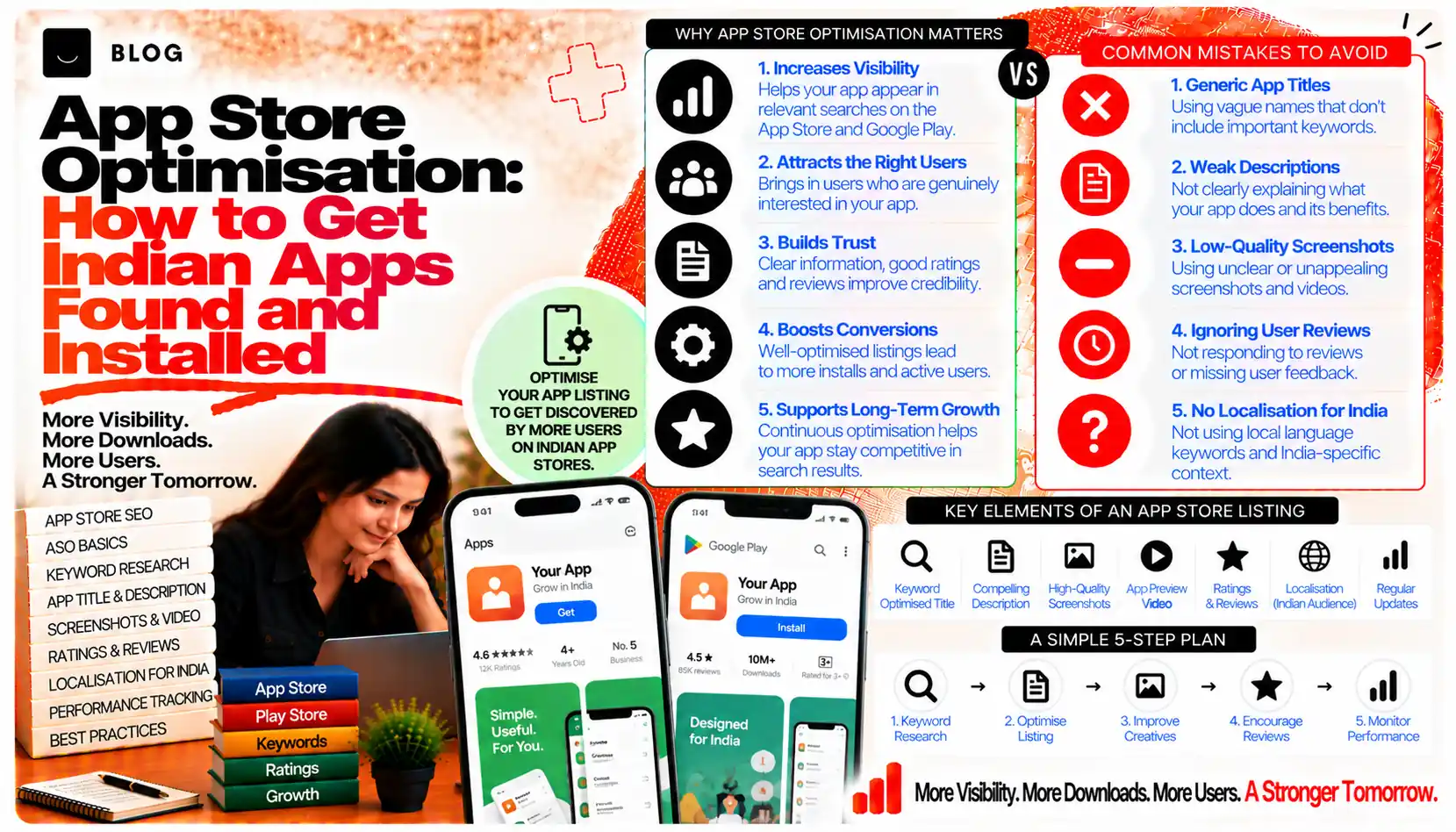
App Store Optimisation: How to Get Indian Apps Found and Installed
An app that is well built can still sit unseen. Most installs begin with a search inside an app store, and the people searching are often ready to download something that day. App store optimisation, usually called ASO, is the work of making the listing easy to find for the right searches and easy to choose once found. It is closer to search optimisation than to advertising, with its own rules, limits and signals.
ASO differs from web SEO in important ways. The store controls the ranking surface, the fields are short and fixed, and ratings and reviews carry more weight in the decision to install. A listing that reads well to a person can still fail if its keyword fields are weak, its screenshots tell no story, or its rating is low.
This guide covers how app store search works, what to write in each field within the platform's limits, how screenshots and ratings support conversion, and how to measure the results.
What ASO can and cannot do
ASO can improve how often an app appears for relevant searches and how many people who see the listing install it. It can help a well-built app reach users who are already looking for its category. It cannot make a weak product retain users, and it cannot replace paid promotion for apps that need immediate reach. Treat it as one part of acquisition, alongside the product, retention and any campaigns.
Step 1: Understand how the store search works
Each store ranks results using its own mix of signals. Apple and Google do not publish their full ranking systems, so treat the factors below as the commonly observed inputs rather than a formula.
- Text in the listing fields, such as the title, subtitle or short description, and the keyword field where the platform provides one
- Relevance to the query, including the category and the content of the listing
- Ratings and review volume, which affect both ranking and the decision to install
- Download and engagement patterns, which show whether people who see the listing install and keep the app
- Localisation, meaning whether the listing is written and presented for the market where it is shown
Check the current platform guidelines for field limits and rules before writing, because they change.
Step 2: Choose the keywords that matter
Keyword work for apps starts with the same question as web SEO: what do people type? Build a list from several sources:
- Store autocomplete suggestions, which show how people phrase searches inside the store
- The apps that rank for the category, their titles and subtitles, read for language patterns
- Customer language from reviews, support requests and sales conversations
- Search demand tools for the wider web, to check phrasing and volume where data is available
Group the keywords by intent: those who want a category of app, those who want a specific function, and those who want a brand. Each group points to different fields and different messaging.
Step 3: Write the title and subtitle
The title is the most heavily weighted text field in most stores, and it is short. Use it to name the app and one core term that describes what it does. Avoid stuffing several keywords, because it reads poorly to people and can break store rules.
Compare:
- Weak: ShopEasy - Best Shopping App Online Buy Now Deals
- Good: ShopEasy: Grocery Delivery
The subtitle, where the platform offers one, adds a second layer of descriptive text. Use it to state the main benefit in plain words, without repeating the title. Make sure the wording reads naturally, because the subtitle is shown directly under the name and influences the install decision.
Step 4: Use the keyword field carefully
Where the platform provides a separate keyword field, it is not visible to users, and it is limited in length. Use it for relevant terms that do not already appear in the title or subtitle, separated as the platform requires. Do not repeat words already used in the visible fields, because repetition wastes space.
Avoid trademarks you do not own, competitor names and misleading terms. Store review teams can reject listings for these, and a rejected update delays every other change you planned.
Step 5: Write the description for people
The long description still matters on some platforms, for indexing and for the reader who wants detail. Write it for the person deciding whether to install. Open with the main benefit, then describe the key features, who the app is for, and what the user will do in the first session.
Keep claims accurate. Describe features that exist, state any subscription or payment terms clearly, and avoid promises the app cannot keep. Clear, honest copy reduces uninstalls and negative reviews, which in turn support ranking.
Step 6: Design screenshots that tell a story
Screenshots are often the most viewed part of the listing. Many people decide from the first two or three images without reading the description. Treat them as a short sales sequence.
Strong screenshot sets:
- Lead with the core benefit in the first image, with a short caption that states it
- Show real use, with interface details that match the actual product
- Follow a clear sequence, moving from the problem to the solution to the outcome
- Use readable text on the image, sized for a phone screen
- Localise the captions for the market, including language and currency where relevant
Test variations where the platform offers product page experiments. Change one element at a time, so the result can be attributed.
Step 7: Support the listing with ratings and reviews
Ratings and reviews influence both ranking and conversion. A high rating with few reviews can look less trustworthy than a good rating with a healthy volume, so growing review volume matters.
Ask for ratings at a sensible moment, after the user has completed a meaningful action, and never gate the request to positive experiences only. Platform rules restrict some prompting methods, so check the current policy before setting up in-app prompts.
Respond to negative reviews calmly and factually. The reputation management post covers how to handle criticism constructively, and the same principles apply in the store.
Step 8: Localise for the Indian market
Localisation goes beyond translation. For the Indian market, consider:
- Language choice for the listing, including whether Hindi or regional language copy will help reach users who search in those languages
- Local examples and currency in screenshots and descriptions where relevant
- Connectivity and device range, since many users have modest devices and variable data, which affects how the store describes size and requirements
- Payment and pricing terms, presented clearly for the local audience
Test the listing with people from the target audience, rather than assuming the copy reads well. A translation that is technically correct can still feel unnatural.
Step 9: Measure and iterate
Track the metrics that show whether the listing is working:
- Impressions in the store, showing how often the listing is seen
- Product page views, showing how many viewers open the listing
- Installs and conversion rate from page view to install
- Ratings and review volume over time
- Keyword rankings for the priority terms, where the tools provide them
Change one element at a time, and record the date of each change. Judge results over several weeks, since store ranking and review signals take time to settle.
What ASO cannot do
It cannot fix a product that does not hold users. It cannot guarantee a top position for any term, because competition and platform rules change. And it cannot replace the relevance of the app itself. The most reliable ASO gains come from a clear listing that matches a real need and a product that earns good reviews.
Common ASO mistakes to avoid
Keyword stuffing the title. It reads poorly and can breach store policy.
Repeating keywords across fields. It wastes limited space.
Using screenshots that do not match the app. Misleading visuals drive uninstalls and reviews.
Ignoring localisation. Translation alone may not reach or persuade the local audience.
Asking for ratings at the wrong moment. It produces low scores and breaches policy.
Changing many elements at once. The results cannot be attributed.
Frequently asked questions
Yes. Ads drive traffic to the listing, and the listing determines whether that traffic installs. A weak listing wastes paid spend.
This varies by platform and changes over time. Check current platform guidance, and write the description for people first.
Use the number the platform allows, and make the first two or three the strongest, since they carry most of the attention.
Review it when the product changes, when you launch in a new market, or when the metrics suggest a problem. Frequent changes without a reason make results hard to read.
Yes, through local language, examples, pricing clarity and an understanding of the device and connectivity context of the audience.
No. They share the principle of matching search intent, but the app store has its own ranking surface, fields and review dynamics.
Ready to build what's next?
Tell us where you're headed. We'll come back with a plan to get there.
Book an intro call